


🔧 Each topic has no more than 10 minutes of directed teaching
The Digital Skills programme equips researchers with the competencies required for modern, data-driven scholarship.
The programme is not about tools….
It is also about connecting researchers with the people who work with data, including data stewards, software engineers, and information specialists.
This programme aims to bridge the gap between disciplinary experts and technical specialists.
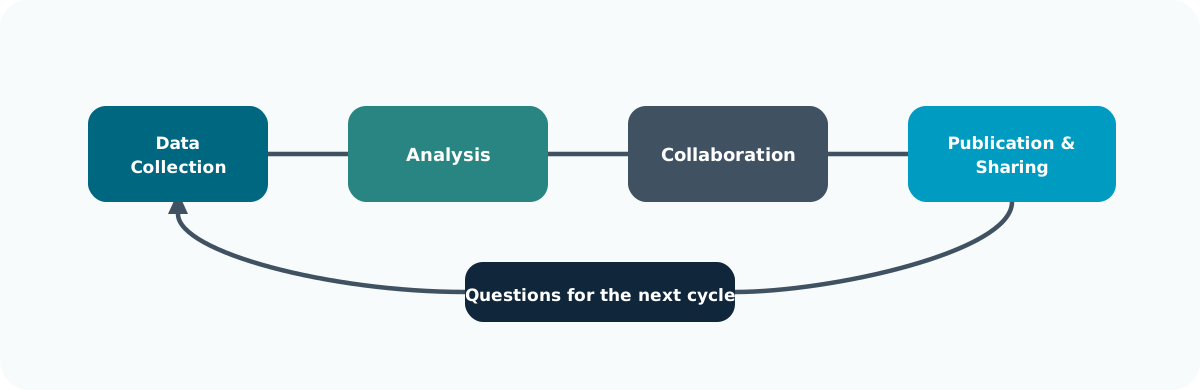
🧭 Support is most useful when it travels with the project from first data capture to final sharing.
The programme offers three tiers of learning, from foundational to applied and specialist skills.
| Level | Focus | Example Modules |
|---|---|---|
| Foundation | Core digital research competencies | Essential Digital Skills |
| Intermediate | Theory and collaboration in data science | Python, R, Software Engineering |
| Advanced | Applied analysis and discipline-specific practice | Bioinformatics, HPC, ML/AI |
🧩 Each tier builds practical capability and supports research independence.
| Course | Focus | Format |
|---|---|---|
| Essential Digital Skills | Digital tools, collaboration, governance and RDM | 4 lessons |
| Methods for Data Science | Data quality, exploration, visualisation and interpretation | 4 lessons |
| Applied Python | Programming, data analysis, modelling and debugging | 8 lessons |
| Applied R | Data analysis, defensive programming, notebooks and dashboards | 8 lessons |
| Responsible Use of Generative AI | Research applications, prompting and responsible use | 3 lessons |
| Automating Business Processes | Power Automate and repeatable workflows | 1 lesson |
| FAIR and Open Research Practices | Usable outputs, transparent methods and responsible sharing | 2 lessons |
Let’s start by reflecting on your current skills.
❓ Which digital skills (or tools) do you want to learn more about this year?
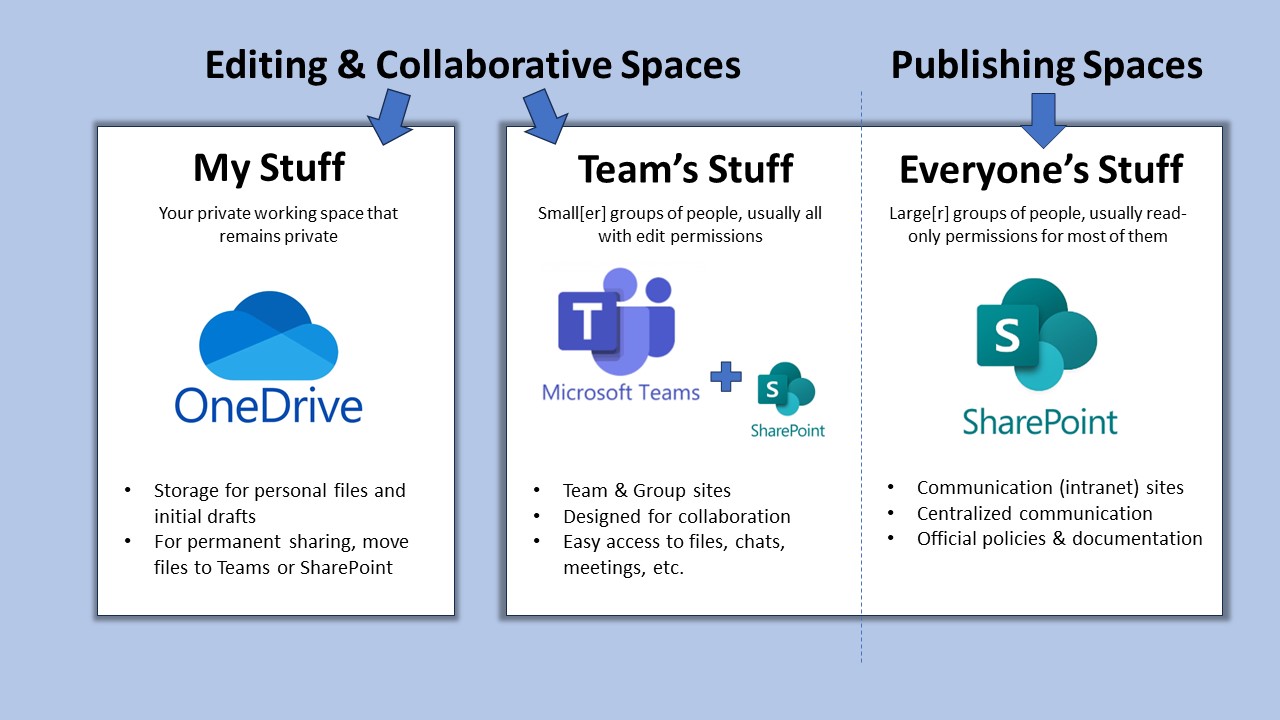
Digital research depends on connected systems that enable collaboration, safeguard data, and streamline research workflows.
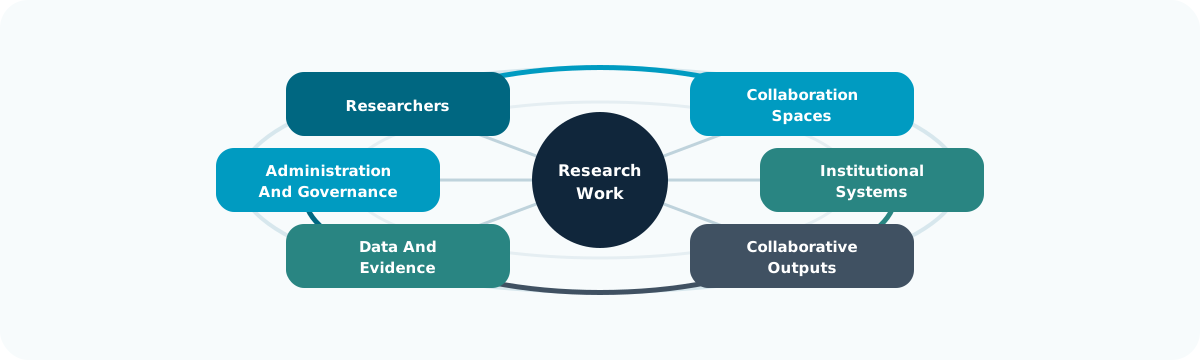
🧩 The value is in the connection between people, platforms, and outputs, not the platform list itself.
At the University of Nottingham, research operates within a digitally integrated environment that connects people, data, and administration.
| System | Primary Role |
|---|---|
| Microsoft 365 | Collaboration and communication |
| SharePoint | Long-term data and document sharing |
| UniCore | Finance, HR, and procurement |
| RIS (Worktribe) | Research lifecycle, funding, outputs |
🏛️ Together these platforms enable secure, collaborative, and transparent research practice.
Microsoft 365 supports daily research activities within a single, integrated workspace.
| Tool | Function |
|---|---|
| Word & Excel | Writing, data capture, and co-editing |
| OneDrive | Personal cloud storage with versioning |
| Teams | Communication, meetings, shared workspaces |
| SharePoint | Institutional document repositories |
💬 Microsoft 365 is the shared workspace for modern research collaboration.
🧠 Good file management is the foundation of digital reproducibility.
UniCore and RIS link the operational and administrative sides of research.
| System | Purpose |
|---|---|
| UniCore | Finance, HR, procurement, and resource management |
| RIS (Worktribe) | Project proposals, outputs, and compliance tracking |
🗂️ These systems ensure research activity is visible, auditable, and supported.
UniCore is UoN’s enterprise system for managing finance, HR, and procurement.
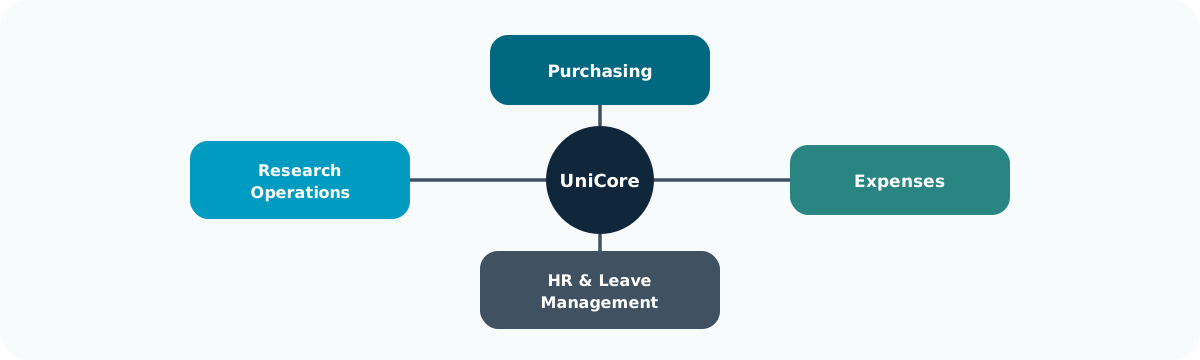
🧭 Operational systems shape research delivery because they affect what teams can buy, claim, plan, and report.
RIS (Worktribe) records, tracks, and reports the full research lifecycle.
| Feature | Purpose |
|---|---|
| Grant Management | Develop and cost funding proposals |
| Outputs Tracking | Record publications and datasets |
| Impact Recording | Capture engagement and REF evidence |
| Integration | Syncs with ORCID and external repositories |
📚 RIS ensures research activity is captured and connected institutionally.
By using institutional systems effectively teams build trust and accountability, data remains secure, reusable, and open and researchers can spend more time working on innovation and discovery
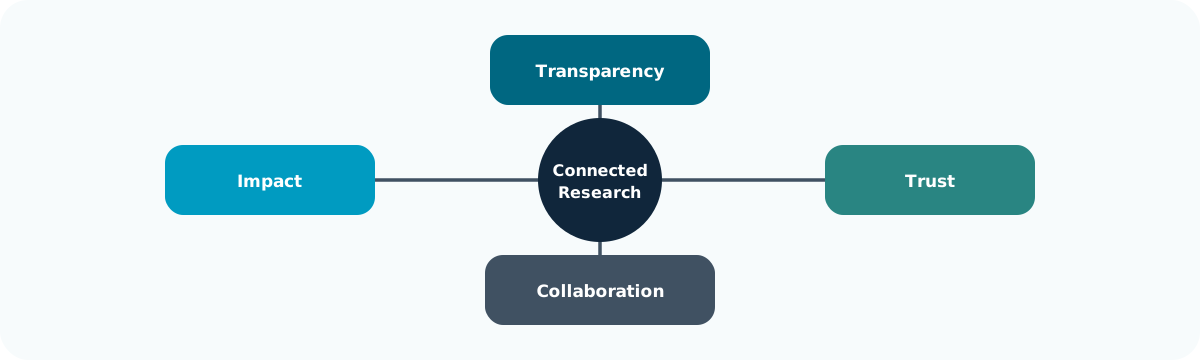
🌍 Good infrastructure makes research easier to audit, hand over, and reuse.
List the digital tools you would use for each of the following:
| Research task | Suggested answer |
|---|---|
| Co-write a manuscript | Word with Teams; store the shared file in SharePoint or OneDrive. |
| Submit a funding bid | RIS (Worktribe) for the bid; use Word and Teams for drafting and collaboration. |
| Order equipment | UniCore. |
| Share large datasets | SharePoint through Teams, subject to access controls and local research data storage guidance. |
The Shiny activity offers Teams, Word, SharePoint, RIS, UniCore and OneDrive as options, but it does not score responses against a fixed answer key.

Your research identity defines how your work is discovered, attributed, and connected across the digital research ecosystem.
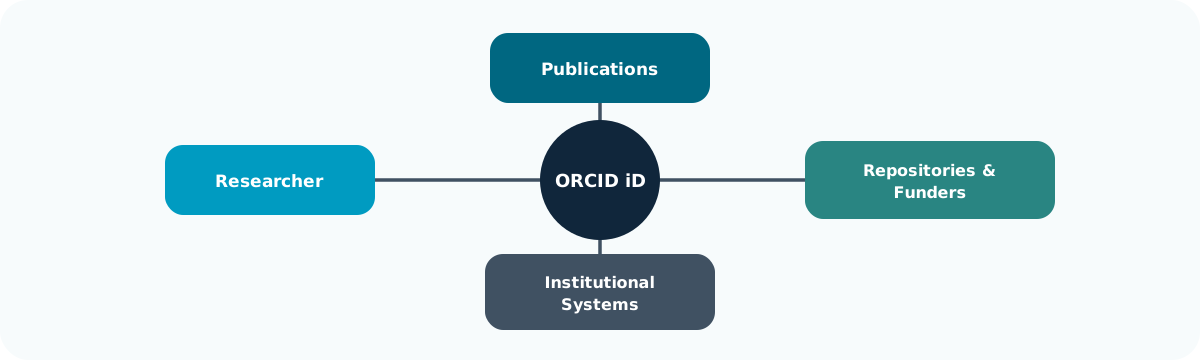
🧩 Persistent identifiers reduce the chance that outputs become separated from the person or project that produced them.
A consistent identity links your outputs, affiliations, and roles automatically across systems. This approach:
💡 A consistent research identity builds long-term recognition and credibility.
ORCID (Open Researcher and Contributor ID) is the global standard for uniquely identifying researchers across institutions and disciplines.
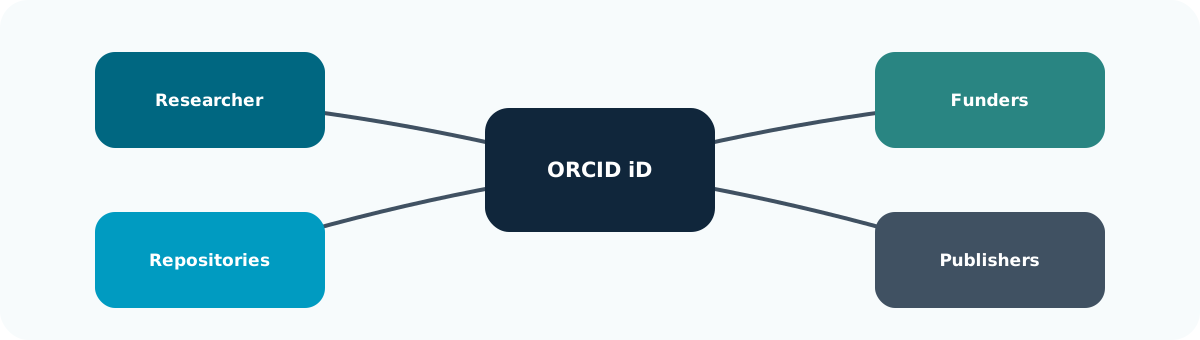
🧠 ORCID is useful because other systems can read the same stable identifier.
It is recomended that you:
🧭 Managing your identity actively ensures your research remains visible and verifiable.
❓ Do you have a ORCID research identity?
Visit Orcid, Log in / sign up
❓ Is your ORCID ID populated with your name, affiliation etc? If not make sure that is complete. - Set your ORCID ID to public (if appropriate)
Effective digital research requires vigilance, responsibility, and sound data stewardship to protect not only research, but also collaborators and institutions.
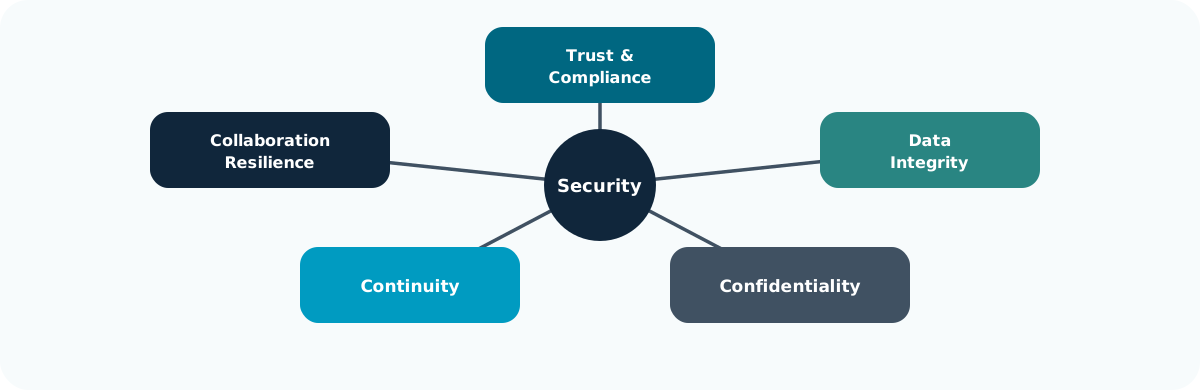
🔒 Security failures usually damage trust first, then data and continuity.
Passwords remain the first line of defence against unauthorised access.
Weak or reused passwords are still the most common research vulnerability.
🧠 Strong passwords are simple, low-cost defences against complex risks.
MFA adds a crucial verification step beyond a password.
Even if your password is compromised, MFA prevents most unauthorised logins.

🔐 MFA makes one stolen password much less useful to an attacker.
Devices are gateways to institutional data.
Protecting them is vital for maintaining research integrity and trust.
| Action | Purpose |
|---|---|
| Store files on OneDrive or SharePoint | Secure cloud storage with version control |
| Avoid local or personal cloud drives | Prevent data loss and compliance breaches |
| Enable screen locks and encryption | Protect devices if lost or stolen |
| Use separate user profiles on shared machines | Maintain privacy and accountability |
⚙️ Encryption safeguards your work even when devices are compromised.
Remote work expands flexibility but increases risk.
Safe access protects your data wherever you work.
🌍 A VPN keeps your connection secure—your data stays private, even on public networks.
Backups prevent irreversible data loss from accidents, failures, or attacks.
Follow the 3-2-1 Rule to ensure resilience.
| Rule | Description |
|---|---|
| 3 Copies | Maintain three versions of your data |
| 2 Media Types | Store on two different media (e.g., cloud and drive) |
| 1 Offsite | Keep one copy offsite or in the cloud |
💾 A backup untested is not a backup—it’s a hypothesis.
Cybersecurity requires daily habits, not one-off actions.
🧩 Cybersecurity is continuous awareness—prevention through habit.
Literature review are an intrisic component of the research lifecycle: Researchers need relevant papers, accurate references and notes you can trace back to the sources.
A literature review can be broken down into three parts:
A research question leads to a search, checked records, linked notes and claims that can be traced back to their sources.
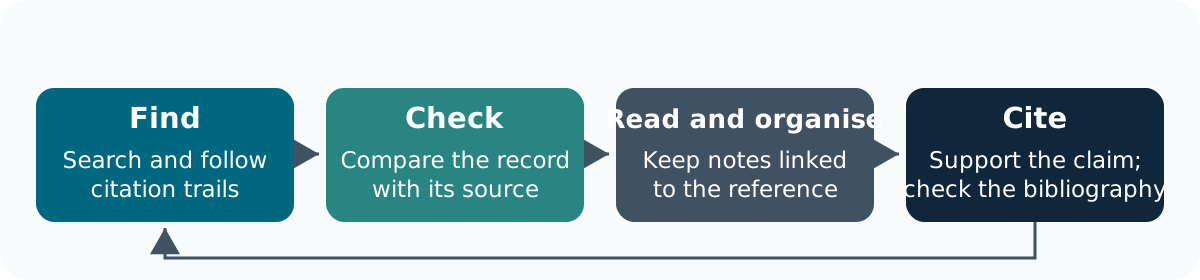
🧭 New questions refine the search. Keep a search log and stable source links throughout.
A useful workflow connects the question, the search, the reference and your reading notes.
📖 Finding a paper is the start: decide what it contributes before citing it.
| Service | Useful for |
|---|---|
| NUsearch | Finding material available through the UoN library |
| Subject databases | Discipline-specific literature, fields and subject headings |
| Google Scholar | Broad discovery and citation trails |
| AI-assisted search tools (Elicit, Consensus, Semantic Scholar, ResearchRabbit) | Discovering relevant papers, exploring research questions and identifying connections between studies |
🔎 Check coverage and search features. One service may not cover all relevant literature. UoN Libraries: bibliographic databases
Most search engines use similar controls to restrict searches. For example; (doctoral OR postgraduate) AND (“writing group” OR “writing retreat”). In this instance:
🔍 Check the service’s syntax and record filters.
From a relevant starting paper, follow its reference list backwards and find later papers through cited-by links.
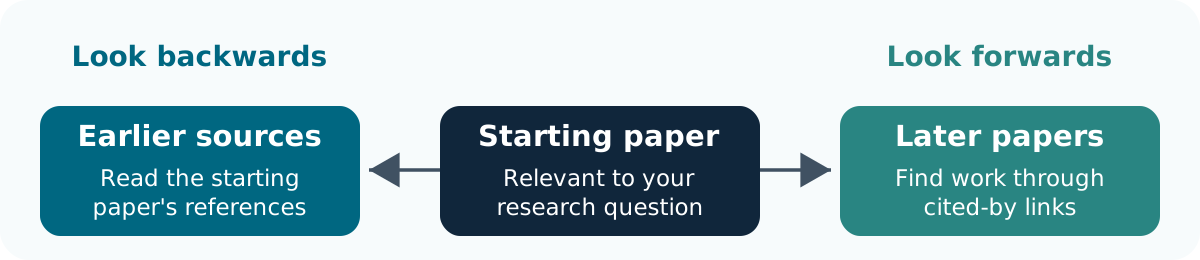
🔎 Follow the links, then read and evaluate each source.
📚 An abstract can help select a paper. Read the relevant full text before using it to support a claim.
Record five things:
📝 A colleague should be able to understand how you found the source. some modern software help you record this by default
Where available, save a search and create an email or RSS alert. Author, journal and citation alerts offer other routes.
Review alerts regularly and record which papers you retain. Alerts support discovery; they do not replace the search record needed for a review.
| Tool | Why consider it? |
|---|---|
| EndNote | Groups, library sharing and Cite While You Write integration; check UoN access |
| Zotero | Free reference manager with browser capture, collections, notes and citation integration |
🧭 Choose one that suits your co-authors and writing workflow. You do not need either installed for today’s tasks. UoN EndNote guidance · Zotero quick start
Import through a database export, supported browser capture or identifier such as a DOI. The reference record and PDF attachment are separate. Always check:
✅ Correct the library record so later citations use the corrected details.
Use EndNote groups or Zotero collections for projects and topics.
A useful reading note contains:
📝 Keep quotations, paraphrases and your own ideas distinct. Label an abstract-only note and attach lawfully obtained full text where appropriate.
Compare suspected duplicates before removing anything. Preserve useful notes and attachments; a preprint and published article can require separate records.
🤝 For a shared library, agree owner, editors, organisation and correction responsibilities. Check which notes and attachments the sharing method includes. Zotero duplicates · Group libraries · EndNote groups
🔍 Check that the source supports the claim. Fix bibliographic errors in the library; preserve citation fields in the working document. Zotero citation guidance
Export in a supported format such as BibTeX.
📦 A formatted bibliography is not a portable library. Zotero export guidance
A subject database can support a discipline-specific search; NUsearch can help locate accessible material. The example query combines alternatives using OR and concepts using AND.
Record the service, date, exact query and filters. Follow references or cited-by links, then check whether a saved-search alert is available. Other choices are valid when they fit the question.
Fictional teaching example. Both records below were imported from the same article.
| Field | Record A | Record B |
|---|---|---|
| Authors | Chen, R. | Chen, R.; Patel, M. |
| Year | 2024 | 2025 |
| Title | Writing groups | Doctoral writing groups: a small pilot |
| Reading note | Question about recruitment | Methods, p. 13: six volunteers |
Its title-page details are:
Chen, R. and Patel, M. (2025). Doctoral writing groups: a small pilot. Example Research Journal, 4(1), 12–19.
Record B matches the supplied authors, title and year. Complete the journal, volume and pages from the source; retain both useful notes with their context.
A note could be: “Methods, p. 13: six volunteers; check recruitment before drawing wider conclusions.” Do not invent a DOI or findings absent from the supplied material.
You are drafting a paper with co-authors. Everyone needs to navigate the document, check the evidence and identify the version being reviewed.
Writing tools can help you to:
Agree a format with your co-authors before you start writing.
Heading styles organise sections, captions label tables and figures, and cross-references connect mentions to the relevant item.
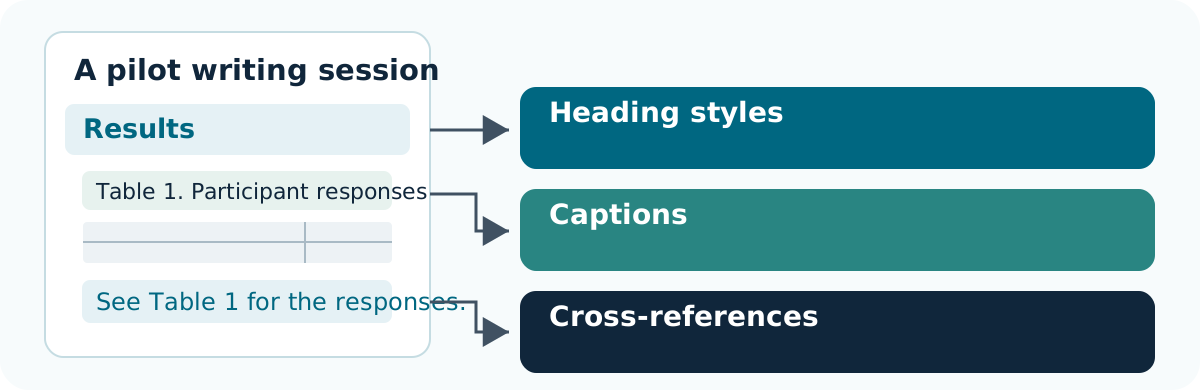
🔗 Refresh fields after edits, then check captions and cross-references in the final document.
There are multiple tools you can use to write with. two of the most common in scientific research are Micorsoft Word and LaTeX:
| Tool | Useful when |
|---|---|
| Word | Co-authors want familiar editing, comments, tracked changes and citation integration |
| LaTeX | The discipline needs mathematical typesetting or a LaTeX publication template |
Check that co-authors can review the chosen format. Word uses visual editing; LaTeX compiles marked-up source. Both need a final output check.
Always conform with the tool you are using when structuring documents:
| Purpose | Word | LaTeX |
|---|---|---|
| Sections | Heading styles | \section{...} |
| Tables/figures | Insert Caption | Caption in the appropriate environment |
| Linked mentions | Insert Cross-reference | \label{...} and \ref{...} |
Update fields or recompile after changes. Bold text alone does not identify a heading; manually typed numbers can become stale. Word captions · Cross-references · LaTeX references
Most scientific research papers follow the IMRaD structure to communicate research clearly and logically:
| Section | Key question | Purpose |
|---|---|---|
| Introduction | Why was the study needed? | Establish context, identify the research gap and state the objectives |
| Methods | How was the study conducted? | Describe the design, data and methods sufficiently to support reproducibility |
| Results | What was found? | Present findings objectively using text, tables and figures |
| Discussion | What do the findings mean? | Interpret results, relate them to existing evidence and acknowledge limitations |
Think of IMRaD as a logical argument: Why? → How? → What? → So what? The structure supports clarity and reproducibility, but conventions vary between disciplines and journals. Scientific writing (IMRaD)
Tracked changes support review. Version history supports comparison and recovery.
Agree:
An emailed attachment is a separate copy. Return its edits to the agreed source. For LaTeX, use editor history or the team’s existing source version-control workflow. Microsoft 365 version history
An agreed review workflow makes clear which document is authoritative and how suggested changes become approved.
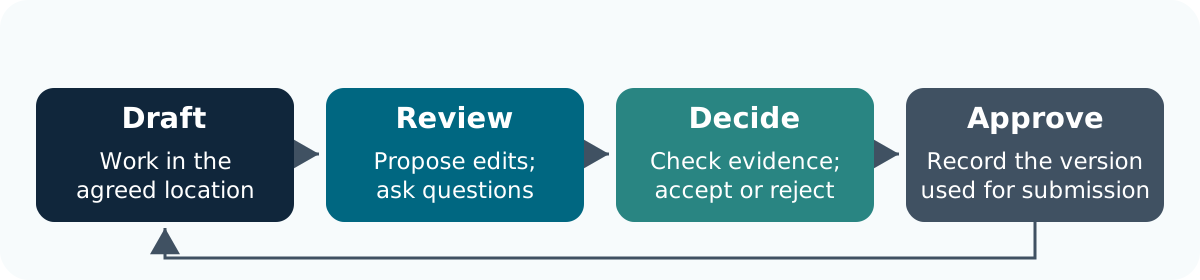
🔁 Return edits to the same source. Use version history to inspect saved states and review markup to track proposed changes.

AI can suggest an outline or rewrite. The researcher remains responsible for meaning and evidence.
See Responsible Use of Generative AI and Prompting for Research.
Fictional example: six volunteers attended a one-hour writing session. Four reported greater confidence immediately afterwards. There was no comparison group or later follow-up.
Draft conclusion: “These findings prove that writing sessions benefit all researchers.”
Work in pairs or small groups; no writing software is required you can do this on you computer or using paper or notes.
ACTIVITY. 5 min: propose section headings to write up these results, a table, a caption and a clearer table reference. What other information would you need to turn this into a research paper?
Possible structure: Methods describes the six volunteers, the one-hour session, recruitment and how confidence was assessed. Results reports that four of six volunteers said they felt more confident immediately afterwards.
Possible table caption: “Table 1. Volunteers reporting greater confidence immediately after the writing session (n = 6).” A text reference could read: “Four of six volunteers reported greater confidence immediately after the session (Table 1).”
The conclusion should describe this small, uncontrolled pilot. It cannot show that the session caused the change, that it benefits all researchers or that any change lasted. A fuller report would need details of recruitment, the confidence measure, the session content and any relevant ethics approval.

Comments and Tracked Changes
Use both comments and tracked changes when collaborating: