
List of 4
 $ : chr "a"
 $ : int 1
 $ : num 3.14
 $ : chr [1:7] "C" "D" "E" "F" ...
[[1]]
[1] "C" "D" "E" "F" "G" "H" "I"[1] "C" "D" "E" "F" "G" "H" "I"| Block | Teaching | Activity | Output to keep |
|---|---|---|---|
| Structures and columns | 10 min | 5 min | An object choice |
| Read and inspect | 10 min | 5 min | An import record |
| Identifiers and units | 10 min | 5 min | A source check |
| Break | — | 10 min break | — |
| Select observations | 10 min | 5 min | A checked subset |
| Types and missingness | 10 min | 5 min | A missing-value record |
| Save the import workflow | 10 min | 5 min | A rerunnable input audit |
| Total | 60 min | 30 min | 100 min including the break |
This is lesson 2 of eight. Each five-minute activity includes a room response and debrief. Save work before the ten-minute break; use a practice copy and keep original inputs unchanged.
Complete lesson 1, open the course project and download data/gapminder_data.csv using Setup. The file is historical country-year data, not individual measurements.
List of 4
$ : chr "a"
$ : int 1
$ : num 3.14
$ : chr [1:7] "C" "D" "E" "F" ...[[1]]
[1] "C" "D" "E" "F" "G" "H" "I"[1] "C" "D" "E" "F" "G" "H" "I"A list can contain different types and nested objects. stuff[4] returns a one-element list; stuff[[4]] returns the element inside it. Distinguish those results before passing them to a function.
[1] 6c d e
4 5 6 a b c
3 6 9 matrix() accepts data, nrow, ncol, byrow and optional dimension names. A matrix stores one type of value. Use [row, column]; omitting one index selects the whole row or column. Check dimensions before applying a calculation along an axis.
'data.frame':   2 obs. of  3 variables:
 $ sample_id: chr  "sample_01" "sample_02"
 $ mass_g   : num  2.1 2.4
 $ checked  : logi  TRUE FALSE
sample_id mass_g checked
1 sample_01 2.1 TRUE[1] 2.1 2.4This small example is fictional. Columns can have different types, while each column has a consistent structure. A tibble is a data-frame variant used in the tidyverse. A data-frame row can contain both text and measurements: do not blindly convert it to numeric values or average every column.
Goal: distinguish a list, matrix and data frame Input: stuff, mx and the fictional samples table Work in pairs: one operates and one checks; swap roles between tasks.
stuff[4] and stuff[[4]].sample_id and mass_g columns.Keep: the selected table and object explanation. If access fails: annotate the instructor’s displayed input and output with the same decisions and checks.
A list can hold unlike objects; a matrix has one type; a data frame preserves text identifiers beside measurements. The structure affects valid operations.
The downloaded CSV contains historical country–year records from Gapminder. Read it into a named object rather than editing the input file. read.csv() uses a header row by default; checking the column names confirms that the header was interpreted as intended.
      country year      pop continent lifeExp gdpPercap
1 Afghanistan 1952  8425333      Asia  28.801  779.4453
2 Afghanistan 1957  9240934      Asia  30.332  820.8530
3 Afghanistan 1962 10267083      Asia  31.997  853.1007
4 Afghanistan 1967 11537966      Asia  34.020  836.1971
5 Afghanistan 1972 13079460      Asia  36.088  739.9811
6 Afghanistan 1977 14880372      Asia  38.438  786.1134
[1] "country" "year" "pop" "continent" "lifeExp" "gdpPercap"[1] 1704 6'data.frame': 1704 obs. of 6 variables:
$ country : chr "Afghanistan" "Afghanistan" "Afghanistan" "Afghanistan" ...
$ year : int 1952 1957 1962 1967 1972 1977 1982 1987 1992 1997 ...
$ pop : num 8425333 9240934 10267083 11537966 13079460 ...
$ continent: chr "Asia" "Asia" "Asia" "Asia" ...
$ lifeExp : num 28.8 30.3 32 34 36.1 ...
$ gdpPercap: num 779 821 853 836 740 ...The explicit stringsAsFactors = FALSE retains text columns as character values for this import. Inspect the actual types rather than assuming that the CSV retains an R object’s metadata.
A CSV stores text, not all the metadata of an R object. Compare names, dimensions and a source row. If importing Excel later, record the sheet, range, header and missing-value conventions; the file extension alone cannot establish them.
Goal: verify an imported table before selecting records Input: the original Gapminder CSV and read.csv() example Work in pairs: one operates and one checks; swap roles between tasks.
Keep: an input record and saved import code. If access fails: annotate the instructor’s displayed input and output with the same decisions and checks.
The first observation must remain data rather than become a column name. A readable file still needs observation-level and type checks.
[1] 1952 2007[1] 0 country year lifeExp
1 Afghanistan 1952 28.801The country–year combination identifies an observation. Check the available years before answering a question about a particular date. Life expectancy is measured in years and population in people; confirm definitions in the Gapminder documentation.
Room prediction: ask whether two rows for the same country in different years are duplicates. The country alone repeats; the combination of country and year represents distinct observations.
Goal: define what makes an observation distinct Input: gapminder_csv and its data documentation Work in pairs: one operates and one checks; swap roles between tasks.
Keep: the key, source coverage and units. If access fails: annotate the instructor’s displayed input and output with the same decisions and checks.
Country-year identifies these records. Available years and aggregate measurement units constrain the questions this source can answer.
Save your import record and script.
    country year lifeExp       pop
180  Brazil 2007  72.390 190010647
756 Ireland 2007  78.885   4109086
%in% tests membership; & combines conditions for each row. Keep IDs alongside measurements and compare retained values with their original records. An empty selection is a cue to investigate coverage or spelling, not substitute observations silently.
Goal: select exactly the intended country-year records Input: the two-country selection above Work in pairs: one operates and one checks; swap roles between tasks.
Keep: a checked subset and its selection rule. If access fails: annotate the instructor’s displayed input and output with the same decisions and checks.
A correct row count is helpful but insufficient: identifiers, year and values must also agree with the intended source records.
The following is a fictional altered copy, used to practise missingness; it does not change the source data.
[1] FALSE TRUE FALSE[1] NA[1] 30.399The first mean is missing. The second uses only observed values and needs its denominator recorded. That is a stated calculation choice, not evidence that replacing or omitting missing data is appropriate for a real study. Do not turn a category into numbers merely to make a function accept it.
Goal: record a missing-value choice explicitly Input: the fictional altered copy Work in pairs: one operates and one checks; swap roles between tasks.
Keep: the missing-value record and checked counts. If access fails: annotate the instructor’s displayed input and output with the same decisions and checks.
The source cannot supply an invented measurement. Describe what the chosen calculation includes and retain the missing observation for review.
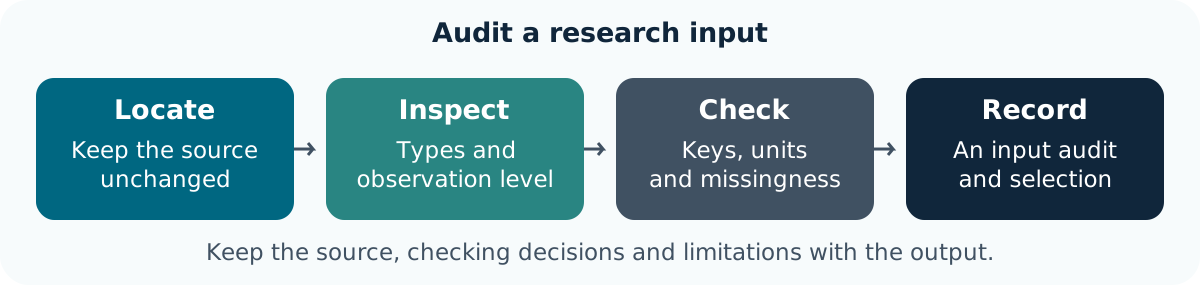
Save the path, import, structure checks, selection and source comparison in one script. Rerun it from a fresh session with the project open. Keep the fictional missingness example separate from the original source object.
Goal: make an import and selection repeatable Input: the saved script and unchanged CSV Work in pairs: one operates and one checks; swap roles between tasks.
Keep: the input audit, script and unresolved questions. If access fails: annotate the instructor’s displayed input and output with the same decisions and checks.
Fresh execution checks dependencies; a source-record comparison checks the selection. Neither establishes a causal or present-day interpretation.
You can inspect structures, import a table and preserve keys, units and missingness. Use those input expectations when writing functions in lesson 3.