Exploratory Analysis and Visualisation
💡 Learning Outcomes
- Choose a display that fits the question and observation level.
- Inspect distributions, relationships and subgroup comparisons.
- Check plotted values, scales, missingness and labels against the source.
- Save figures with captions, provenance and qualified interpretations.
❓ Questions
- What comparison should a viewer make?
- Which design choice could hide records or mislead interpretation?
- What can these historical aggregate data actually establish?
Structure & Agenda
| Block | Teaching | Activity | Output to keep |
|---|---|---|---|
| Question and source | 10 min | 5 min | A plot specification |
| Distributions | 10 min | 5 min | A checked display |
| Relationships | 10 min | 5 min | A scoped comparison |
| Break | — | 10 min break | — |
| Groups and facets | 10 min | 5 min | A subgroup display |
| Scales and missingness | 10 min | 5 min | An audited figure |
| Save and interpret | 10 min | 5 min | A figure and caption |
| Total | 60 min | 30 min | 100 min including the break |
This is lesson 6 of eight. Each five-minute activity includes a room response and debrief. Save work before the ten-minute break; use a practice copy and keep original inputs unchanged.
Starting Point and Preparation
Open the shared project from Additional Material, complete lesson 5 and load the existing gapminder and ggplot2 packages. Use the public historical data and retain the same year, units and keys in comparisons.
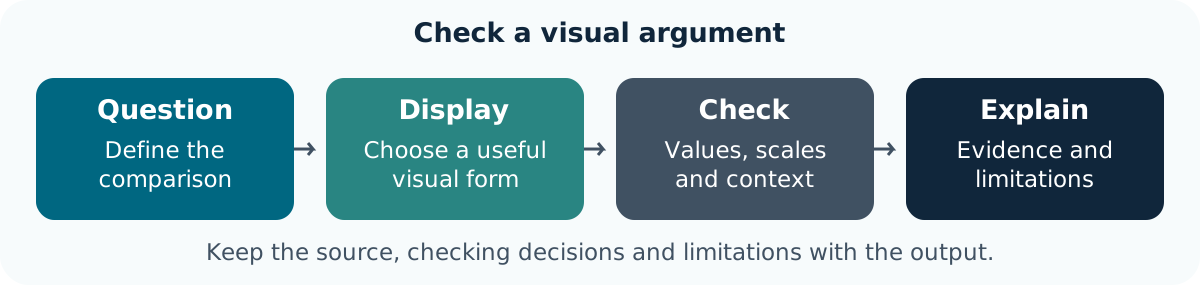
Start with the Question and Source
One Recorded Year Is a Different Comparison from a Time Series
Each row in year_data is a country in one recorded year. The full data repeat countries over time. State which level is plotted; a country-level association cannot establish individual outcomes or causation.
Specify What a Viewer Should Learn
| Question | Useful starting display | Check |
|---|---|---|
| How are country values distributed? | Histogram, box plot or individual-value display | Observed count and bin/group choices |
| How do two quantities vary together? | Scatter plot | Paired observations, units and axes |
| How do groups differ descriptively? | Facets or grouped distributions | Comparable scales and denominators |
| How do selected countries change over time? | Labelled lines | Country identity and recorded years |
Task 1: Specify a Visual Comparison (5 min)
Goal: match a display to a defined question Input: the 2007 table and the full dataset Work in pairs: one operates and one checks; swap roles between tasks.
- 1 min: Choose a question and state the observation level.
- 2 min: Sketch a suitable plot and name its variables and units.
- 1 min: Identify one denominator, missingness or repeated-observation check.
- 1 min: Two pairs explain why their plot fits their question.
Keep: a plot specification. If access fails: annotate the instructor’s displayed input and output with the same decisions and checks.
The chart type follows the intended comparison. Define the source and level before using an attractive plotting template.
Inspect Distributions
Bins Are a Presentation Choice
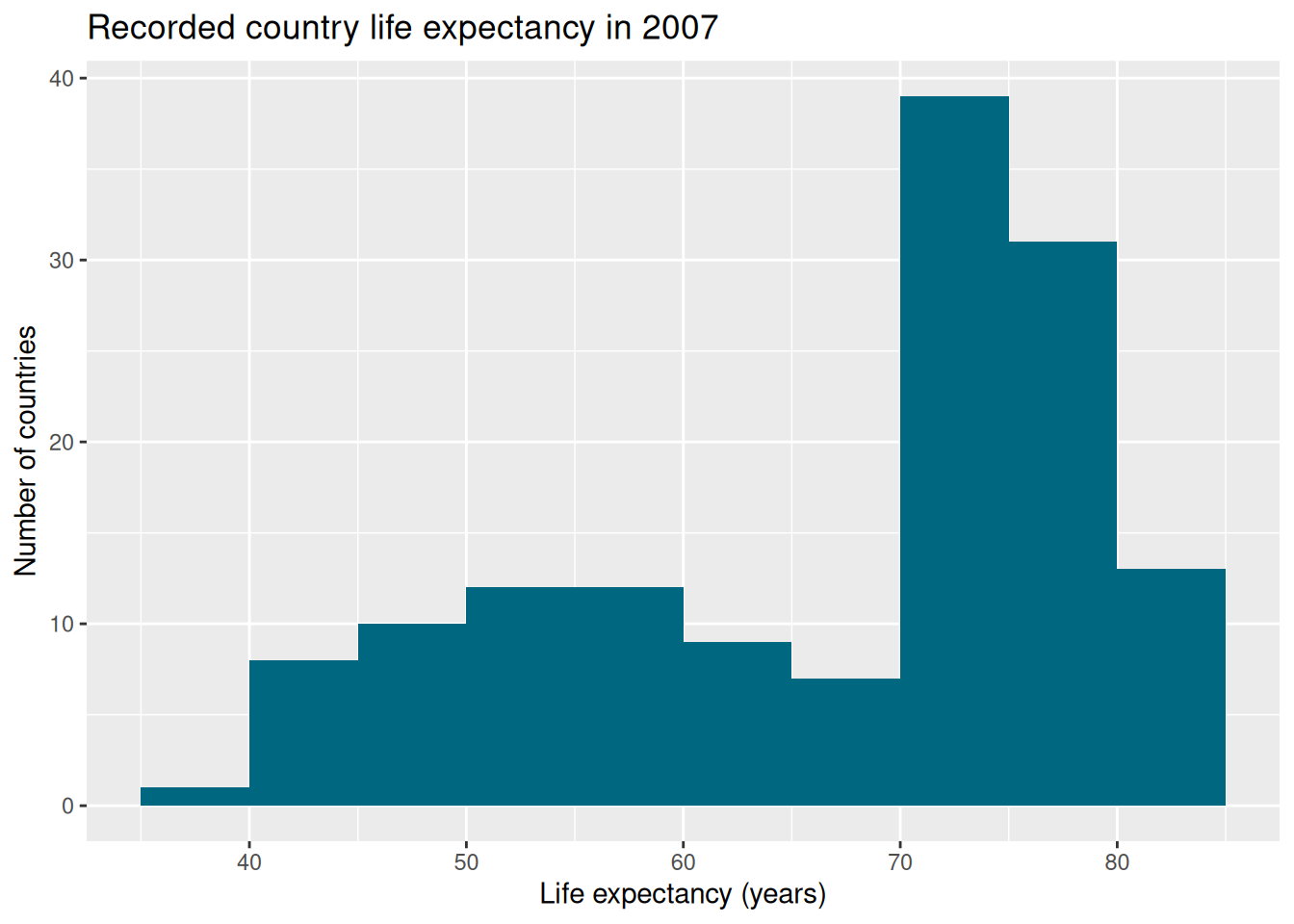
Compare a different bin width and an individual-value or box-plot display. Changing bins changes appearance, not the measurements. Disclose missing observations if present; do not remove an extreme value simply because it changes the shape.
Task 2: Check a Distribution Display (5 min)
Goal: connect displayed counts to observed records Input: the histogram and one alternative bin width Work in pairs: one operates and one checks; swap roles between tasks.
- 1 min: Predict what a wider bin will change.
- 2 min: Build both views using the same records.
- 1 min: Compare the total displayed count with the input count.
- 1 min: Two pairs describe a feature that appears differently without a data change.
Keep: the two views and count check. If access fails: annotate the instructor’s displayed input and output with the same decisions and checks.
A presentation change can alter perceived shape. The denominator and data selection must remain visible.
Explore a Relationship with Context
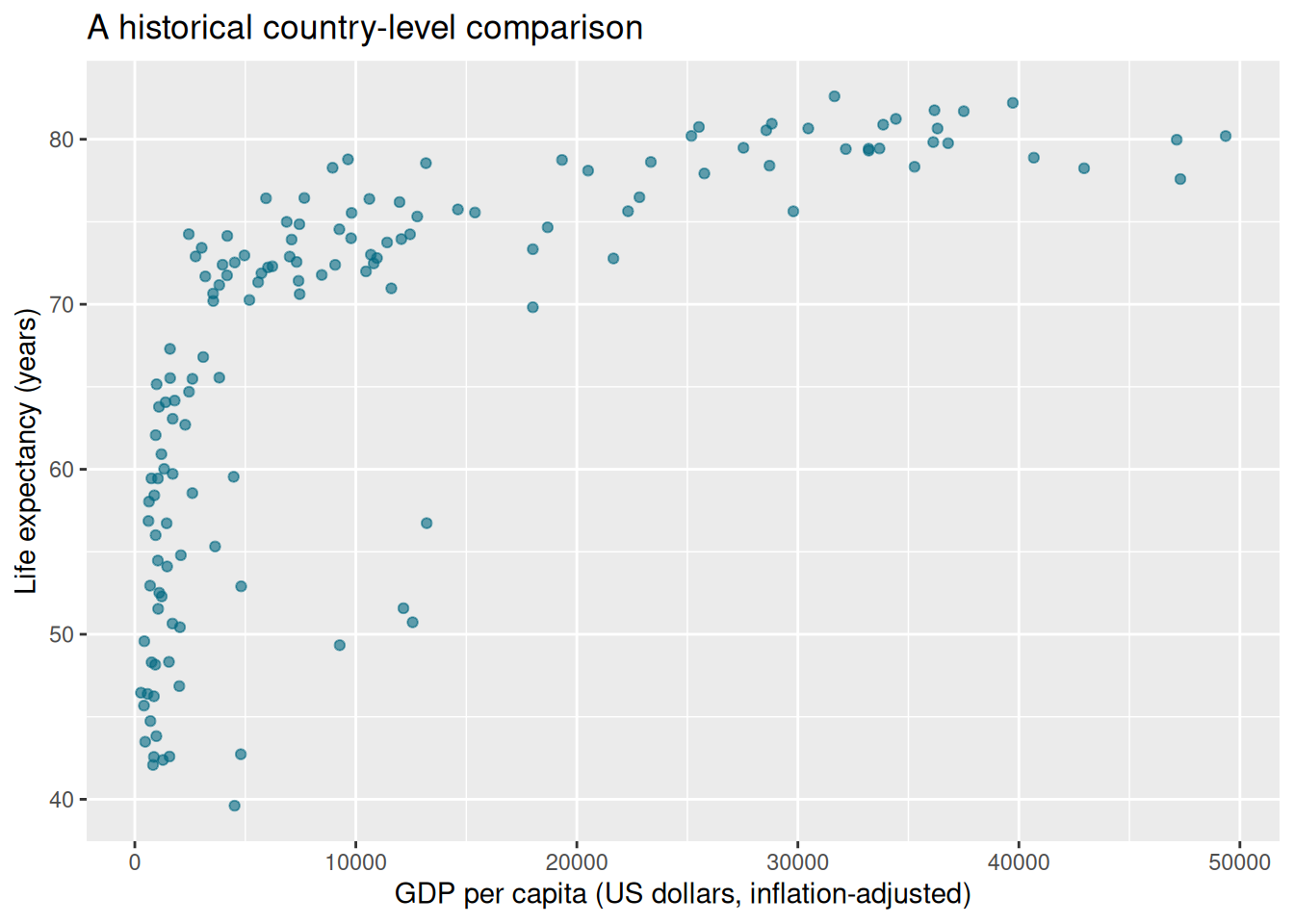
Read the data documentation for the economic measure’s definition. A log scale can help display a wide range, but must be labelled and appropriate for the observed values. A fitted smooth is an exploratory summary, not an explanation of cause.
Task 3: Trace a Point to Its Record (5 min)
Goal: verify that the two plotted measurements are paired Input: the 2007 relationship plot Work in pairs: one operates and one checks; swap roles between tasks.
- 1 min: Choose one country and identify both source values.
- 2 min: Locate its point and compare a linear/logarithmic x-axis display.
- 1 min: Record what the scale changes and what it leaves unchanged.
- 1 min: Two pairs provide an interpretation that retains the aggregate and historical scope.
Keep: a checked point and qualified interpretation. If access fails: annotate the instructor’s displayed input and output with the same decisions and checks.
A scale affects visual spacing. It does not alter the source values or establish a causal mechanism.
Break (10 min)
Save the plot specification and source checks.
Compare Groups without Hiding Context
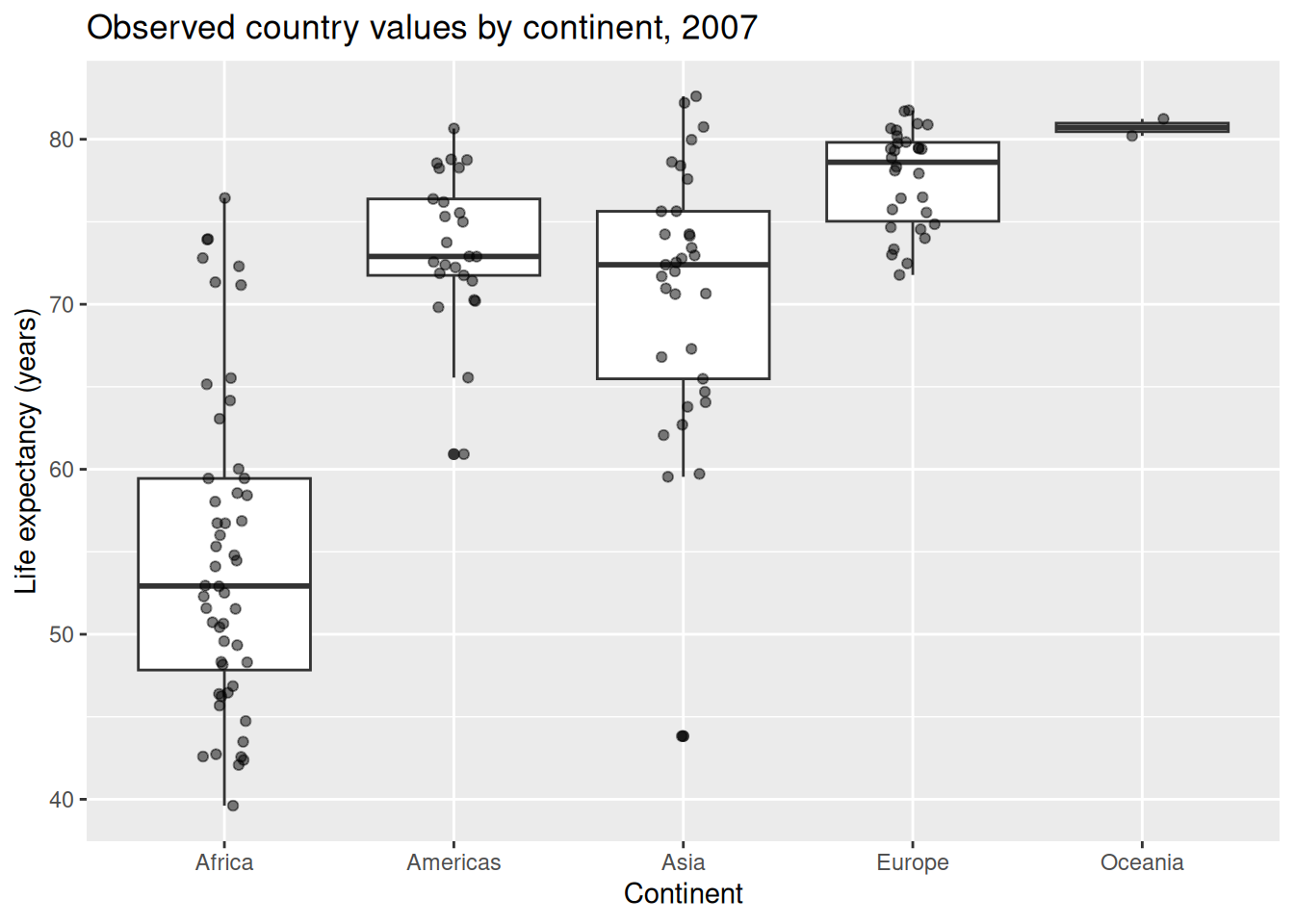
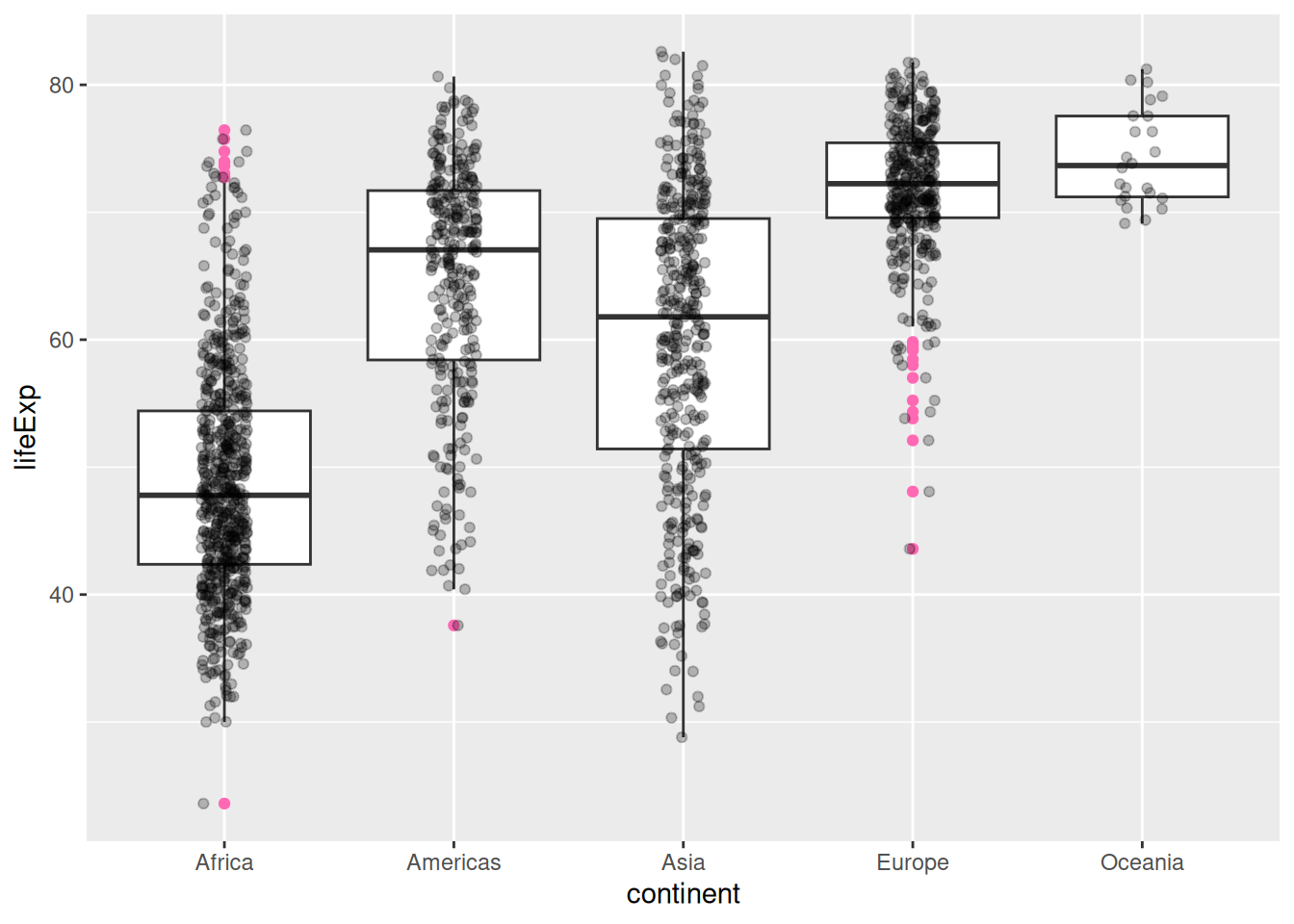
Set a seed before saving a plot that uses random jitter when exact reproduction matters. Labels and position identify groups without depending only on colour. Groups contain different numbers of countries; an unweighted country comparison is not a population-weighted one.
Task 4: Compare Groups Responsibly (5 min)
Goal: retain values, grouping and denominators Input: the grouped display Work in pairs: one operates and one checks; swap roles between tasks.
- 1 min: Identify the observation level and group sizes.
- 2 min: Compare the grouped view with a faceted display using comparable scales.
- 1 min: Check one group’s records and state the weighting.
- 1 min: Two pairs name a comparison the plot supports and one it cannot establish.
Keep: a subgroup display and caveat. If access fails: annotate the instructor’s displayed input and output with the same decisions and checks.
Grouping clarifies structure but can hide within-group variation. A named continent is not a causal explanation.
Audit Scales, Missingness and Labels
Zooming and Removing Data Have Different Consequences
The original axis-limit examples in the reference bank are retained. Scale limits can remove observations before a statistic such as smoothing is computed; visual zooming with coord_cartesian() serves a different purpose. Inspect warnings and compare the input and plotted records.
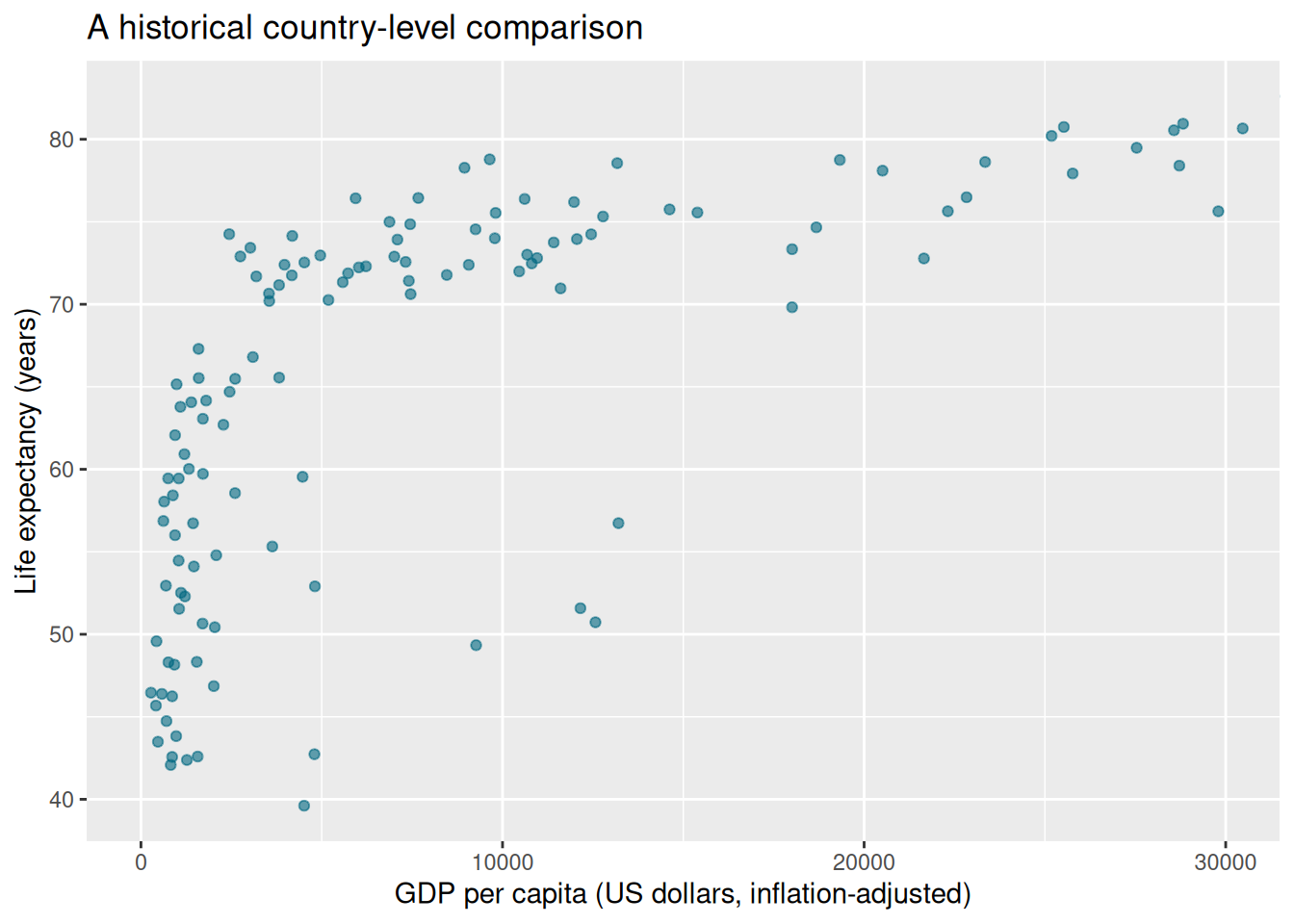
The range is a declared teaching display choice, not a rule for excluding research observations. Check units, sources, dates, legend labels and missingness in the caption.
Task 5: Audit a Plot Specification (5 min)
Goal: identify whether a display choice removes information Input: the full plot, zoomed view and retained limit examples Work in pairs: one operates and one checks; swap roles between tasks.
- 1 min: Predict whether visual zooming changes the source rows.
- 2 min: Compare the views and inspect warnings from a scale-limited example.
- 1 min: Record which values remain available and what the viewer cannot see.
- 1 min: Two pairs explain a revision that improves context rather than hiding a valid value.
Keep: an audit note and revised caption. If access fails: annotate the instructor’s displayed input and output with the same decisions and checks.
A plot must disclose its selection and presentation choices. Inspect warnings rather than suppressing them to obtain a tidy image.
Save, Check and Interpret a Figure
Reuse the Project’s Checked Selection
Run these commands from the extracted shared project folder, which contains analysis.R and its data directory.
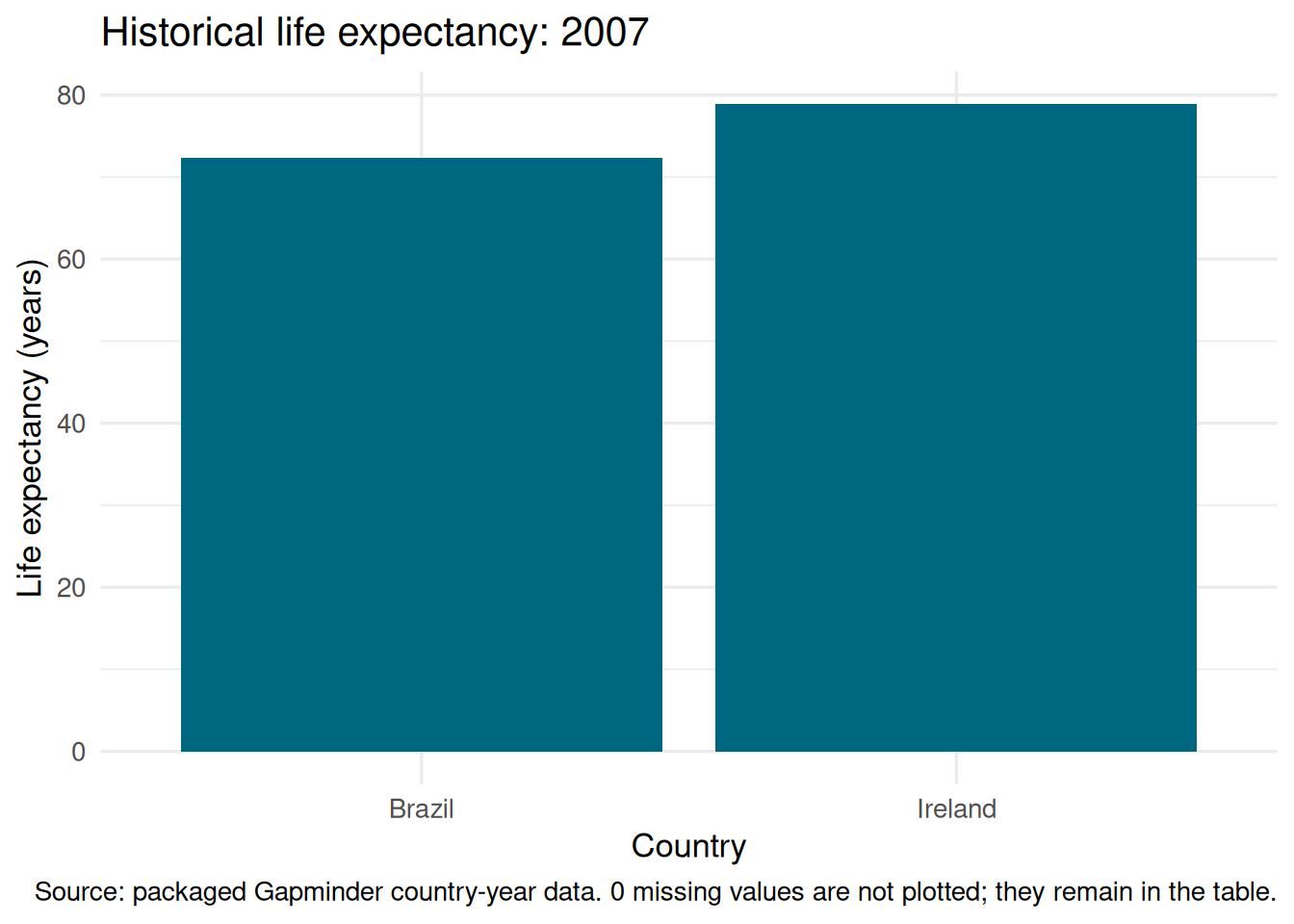
Use ggsave() with a named practice destination, explicit width/height and units. Inspect the saved file, compare one value with its source and write an interpretation containing the year, units, observation level and limitation. Lesson 7 places this output in a computational research notebook.
Task 6: Save a Figure a Colleague Can Inspect (5 min)
Goal: produce a checked figure and explanatory caption Input: the shared project selection and plot Work in pairs: one operates and one checks; swap roles between tasks.
- 1 min: Specify the question, countries and recorded year.
- 2 min: Save a figure in a separate output folder with explicit dimensions.
- 1 min: The checker compares a plotted value and reads the caption without the author’s explanation.
- 1 min: Two pairs report one change that made the figure easier to interpret.
Keep: the figure, source check and caption. If access fails: annotate the instructor’s displayed input and output with the same decisions and checks.
An exported image needs context to travel beyond its author. Keep the code and source selection with it.
Optional Plot Reference Bank
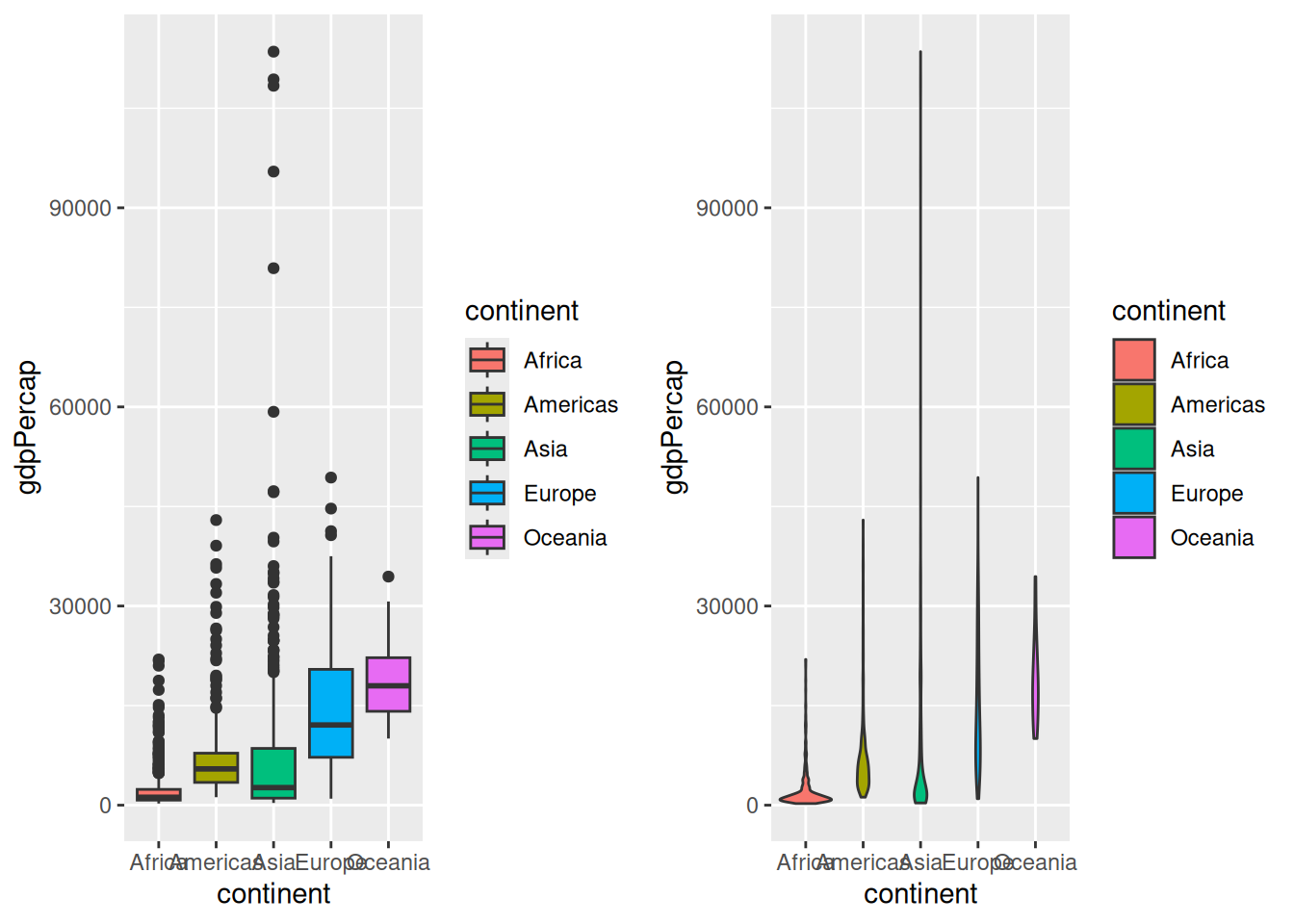
These retained extensions use gridExtra and ggExtra; prepare them using Setup before choosing those examples. Save only to a practice output folder and inspect destinations before rerunning exports.
The existing plotting variants are preserved below for further practice, outside the core plan. They use the full gapminder table and sometimes pool repeated country observations. Inspect that scope and all warnings before interpretation. The original data manipulations and worked exercise bank remain in lesson 5.
Additional Plotting Styles
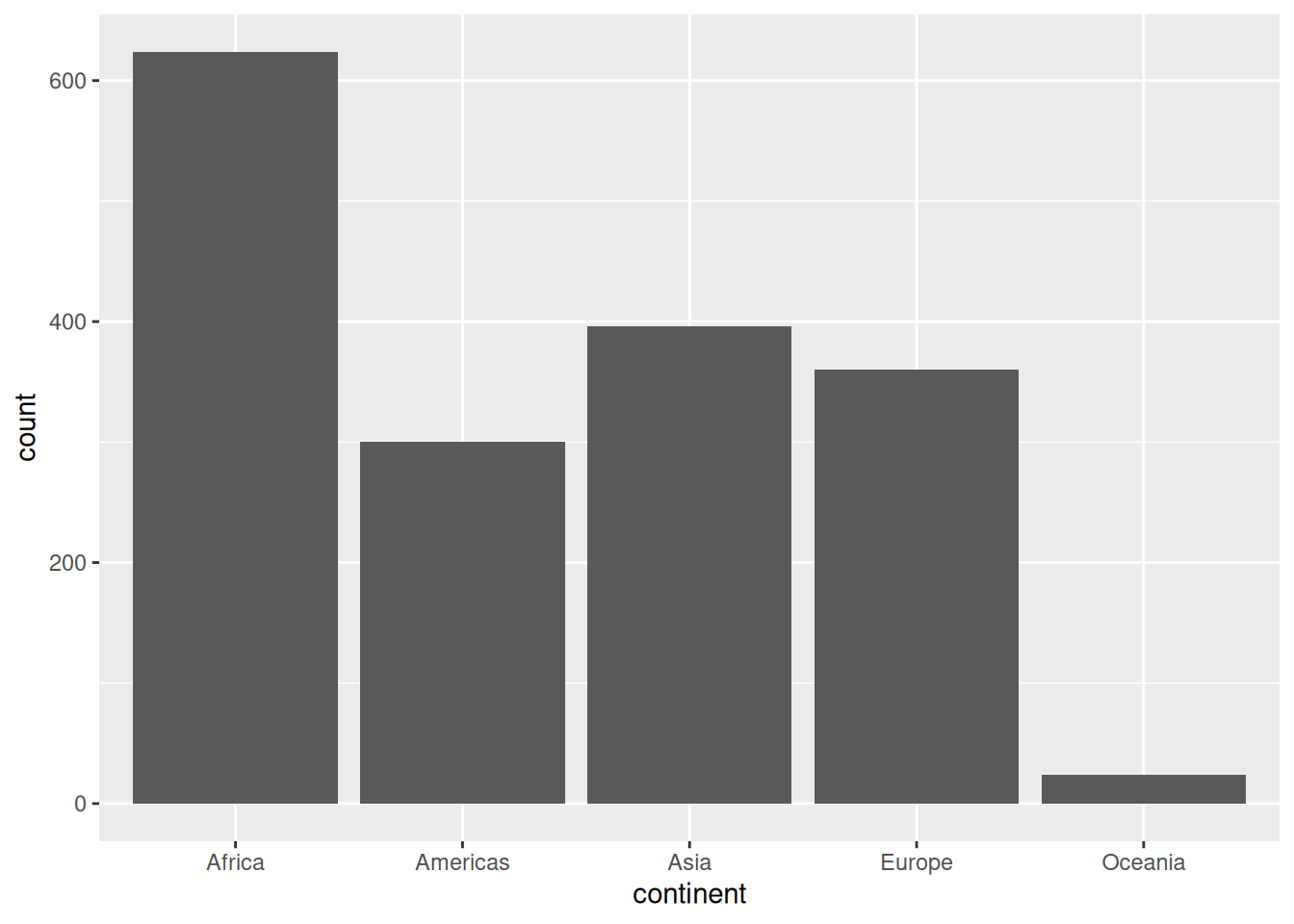
Bar plot with ggplot2
Histogram plot with ggplot2
`stat_bin()` using `bins = 30`. Pick better value `binwidth`.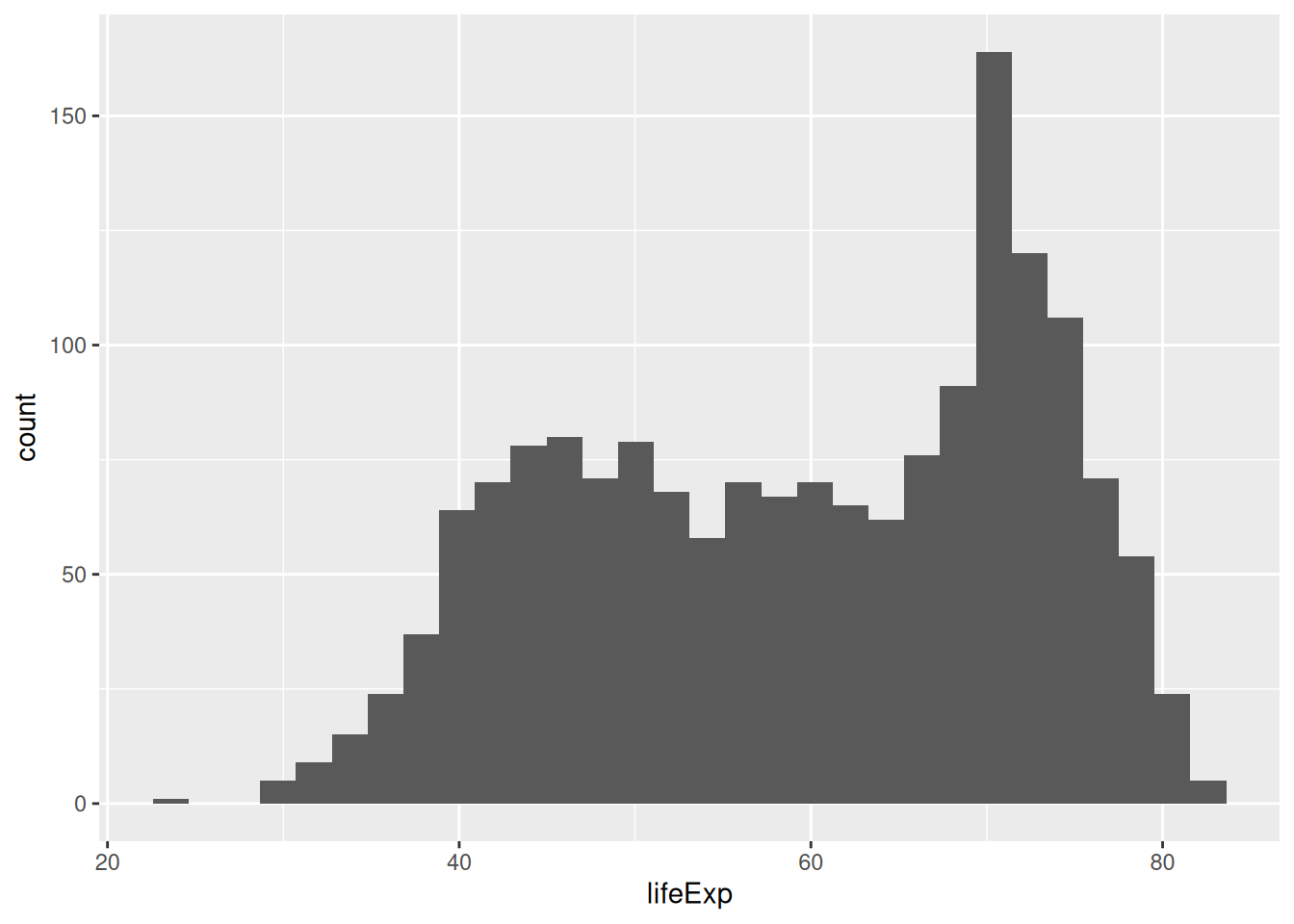
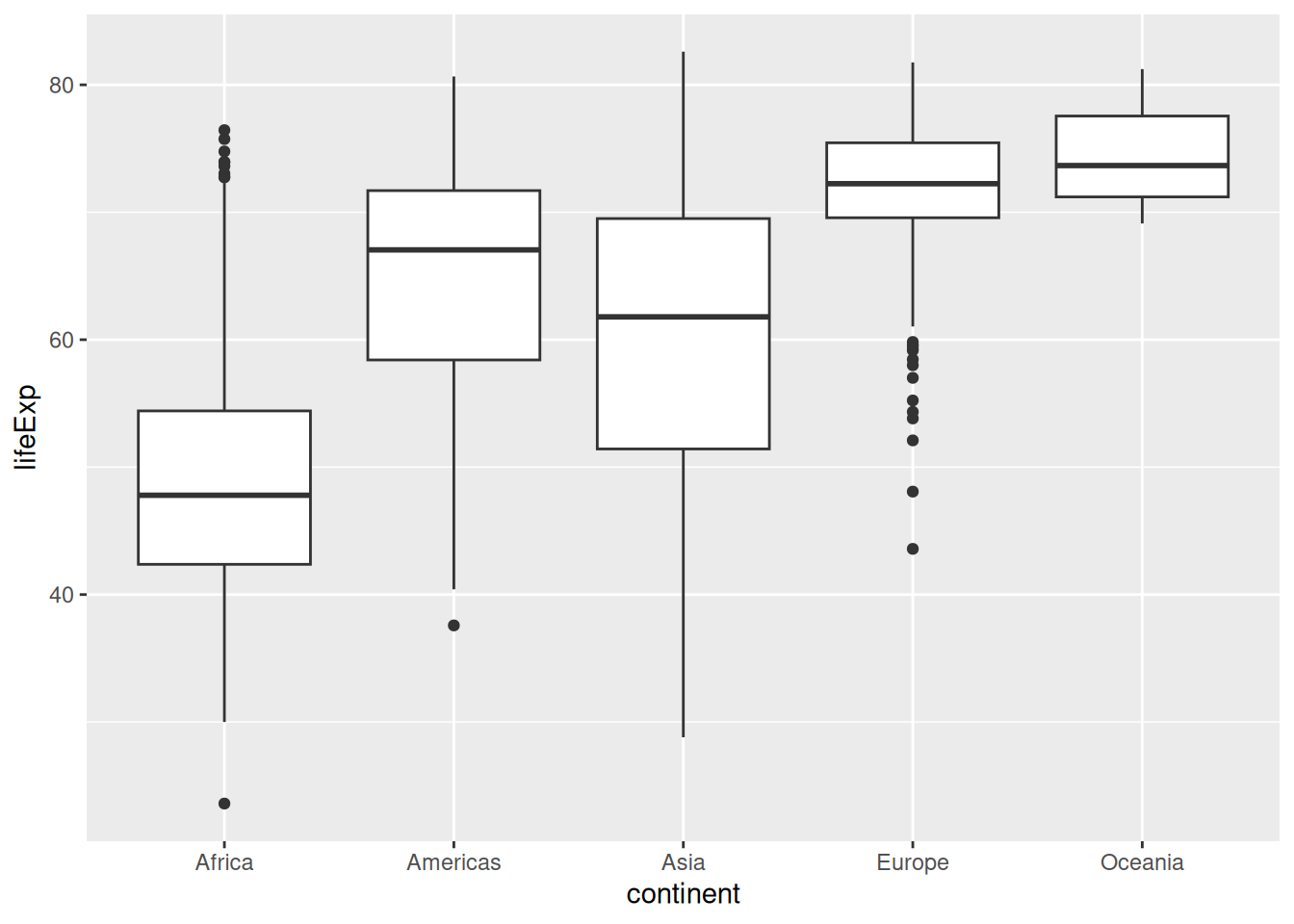
Box plot with ggplot2
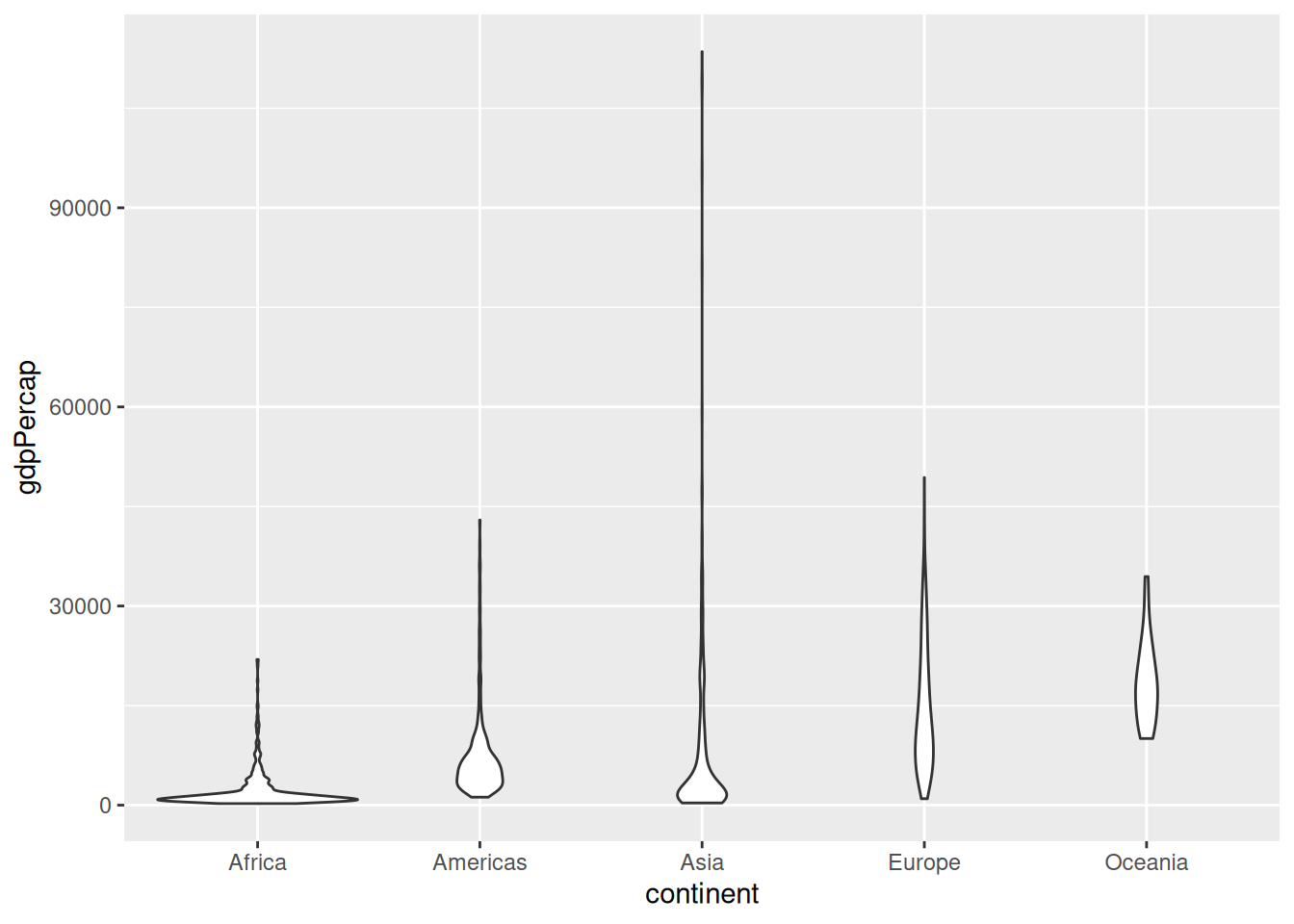
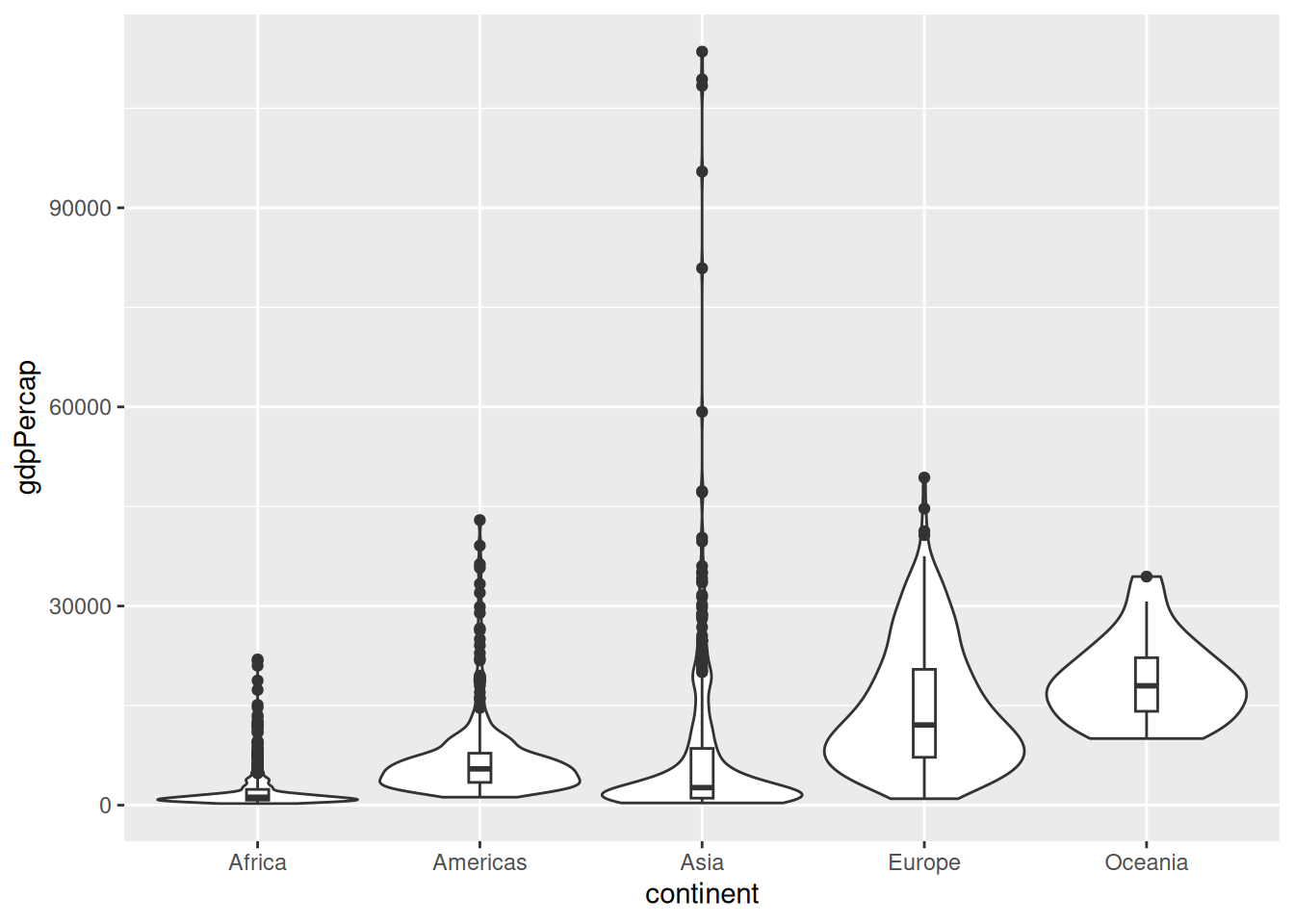
Violin plot with ggplot2
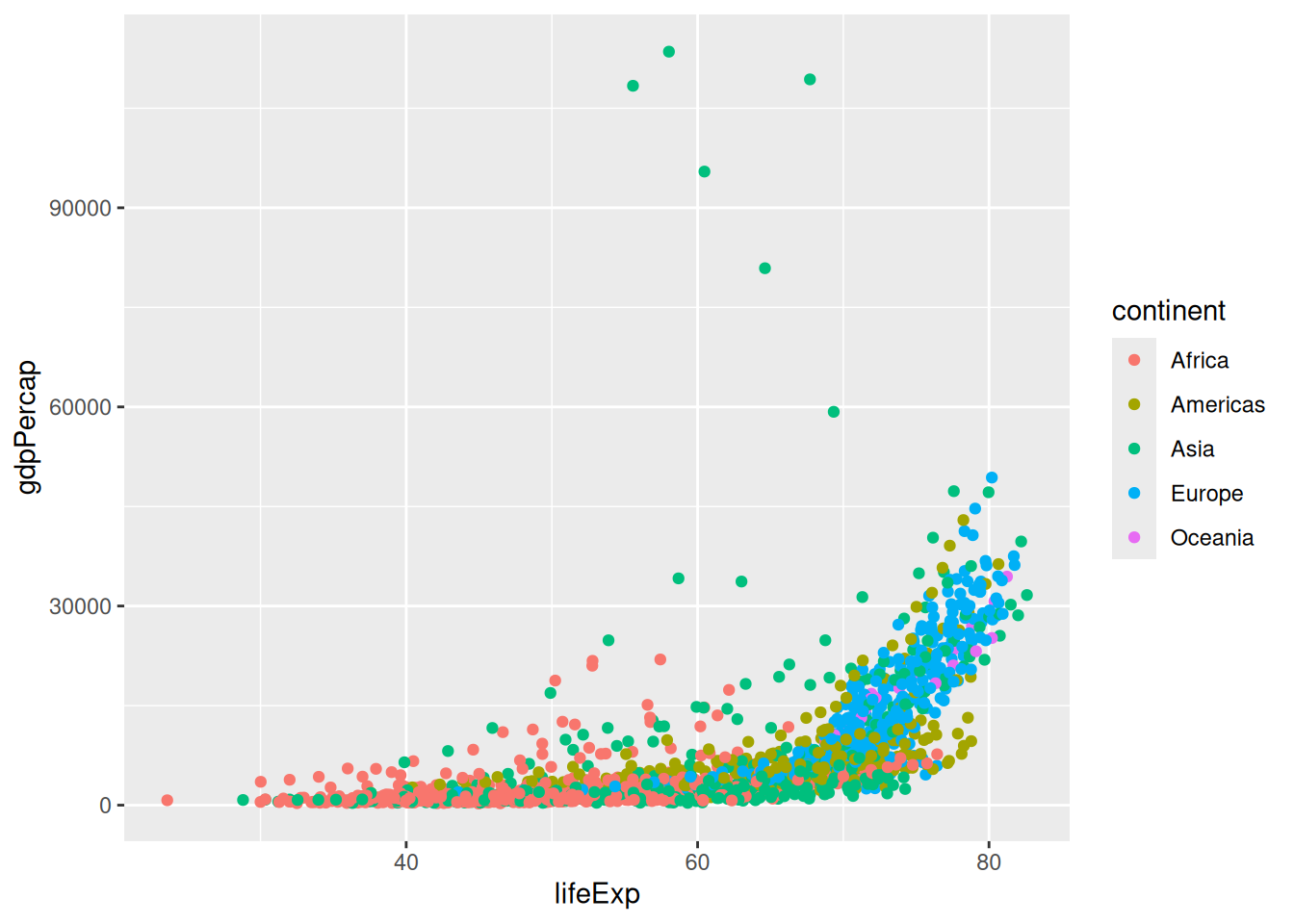
Scatter plot with color aesthetic with ggplot2
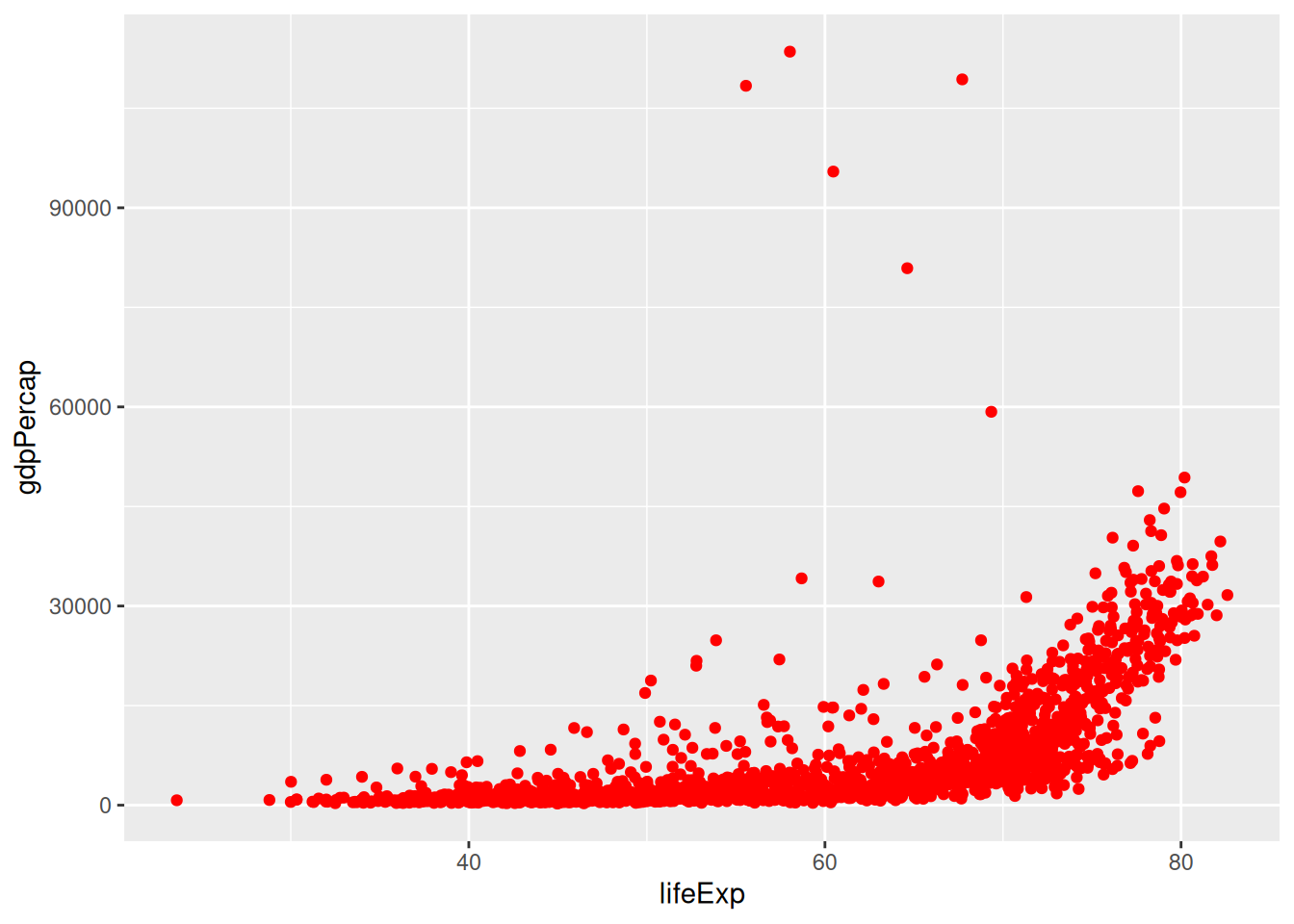
Scatter plot with custom color
Scatter plot with smooth line
`geom_smooth()` using method = 'gam' and formula = 'y ~ s(x, bs = "cs")'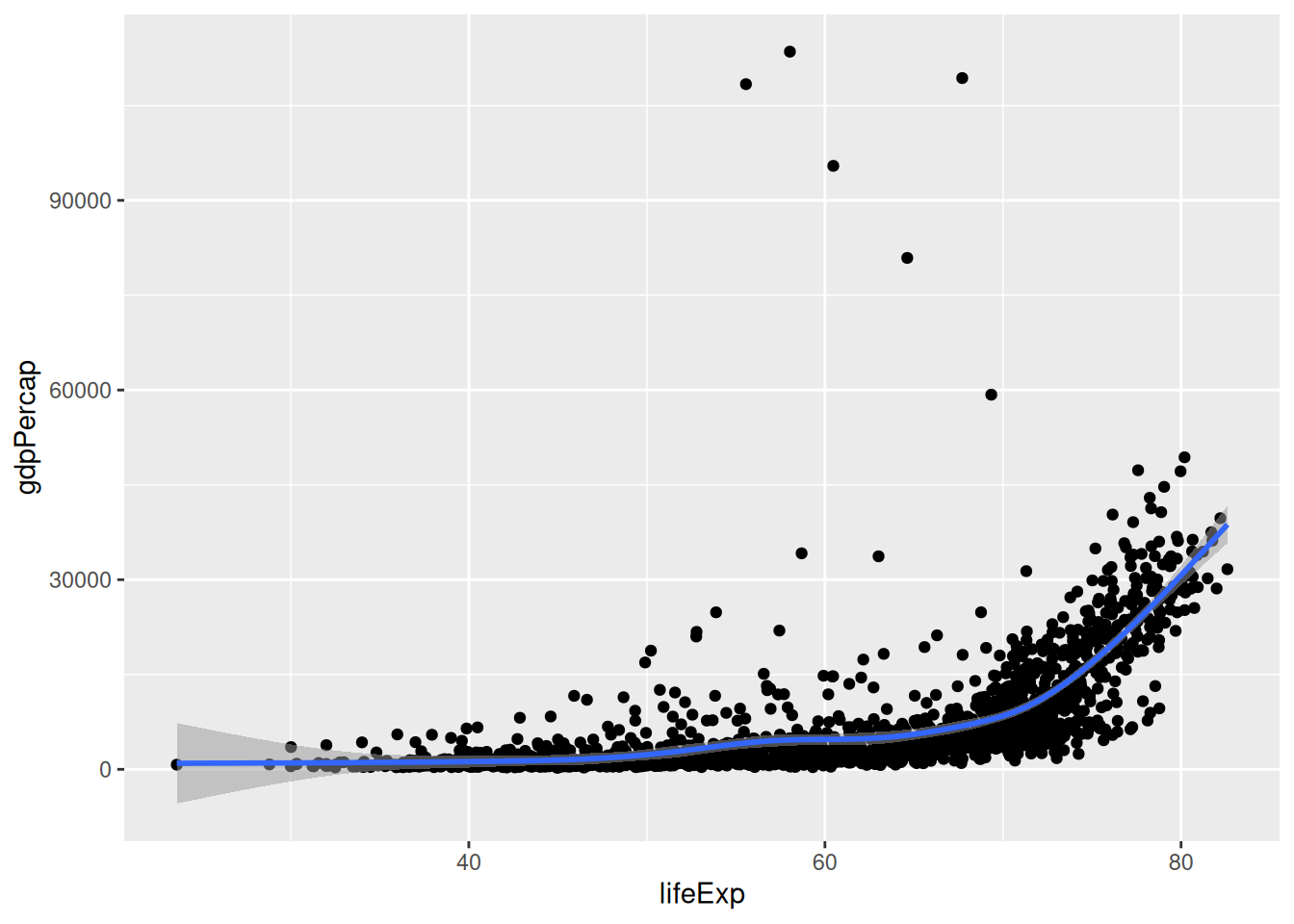
Faceted plot in ggplot2
`geom_smooth()` using method = 'loess' and formula = 'y ~ x'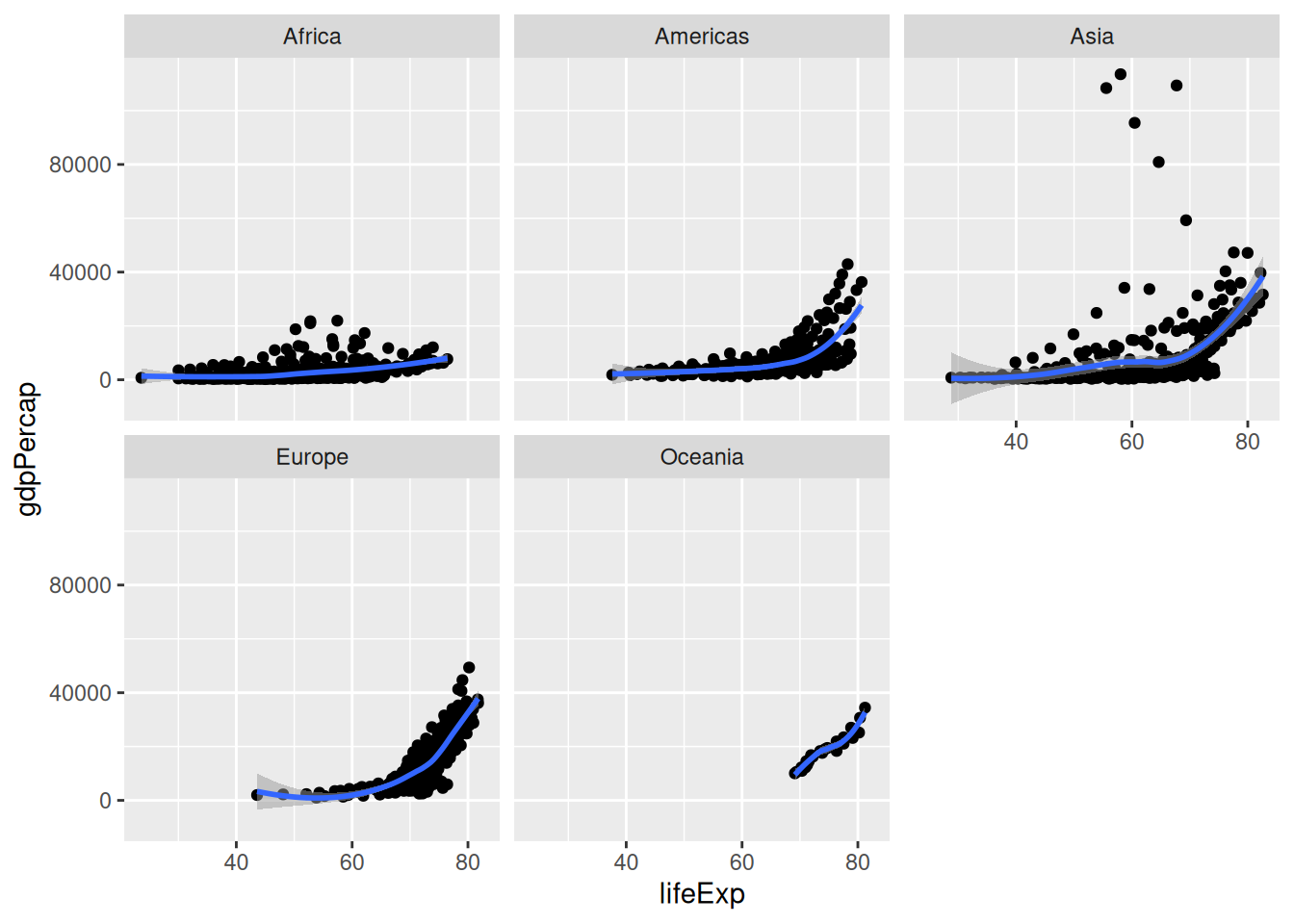
Customised Axes
The existing scale limits below remove out-of-range values before statistical layers are calculated. This can change a smooth as well as the visible points. Inspect warnings and exclusions. If you intend only to zoom the view, the ggplot2 coordinate documentation explains coord_cartesian(); the example limits are retained here so this distinction is visible.
`geom_smooth()` using method = 'gam' and formula = 'y ~ s(x, bs = "cs")'Warning: Removed 496 rows containing non-finite outside the scale range
(`stat_smooth()`).Warning: Removed 496 rows containing missing values or values outside the scale range
(`geom_point()`).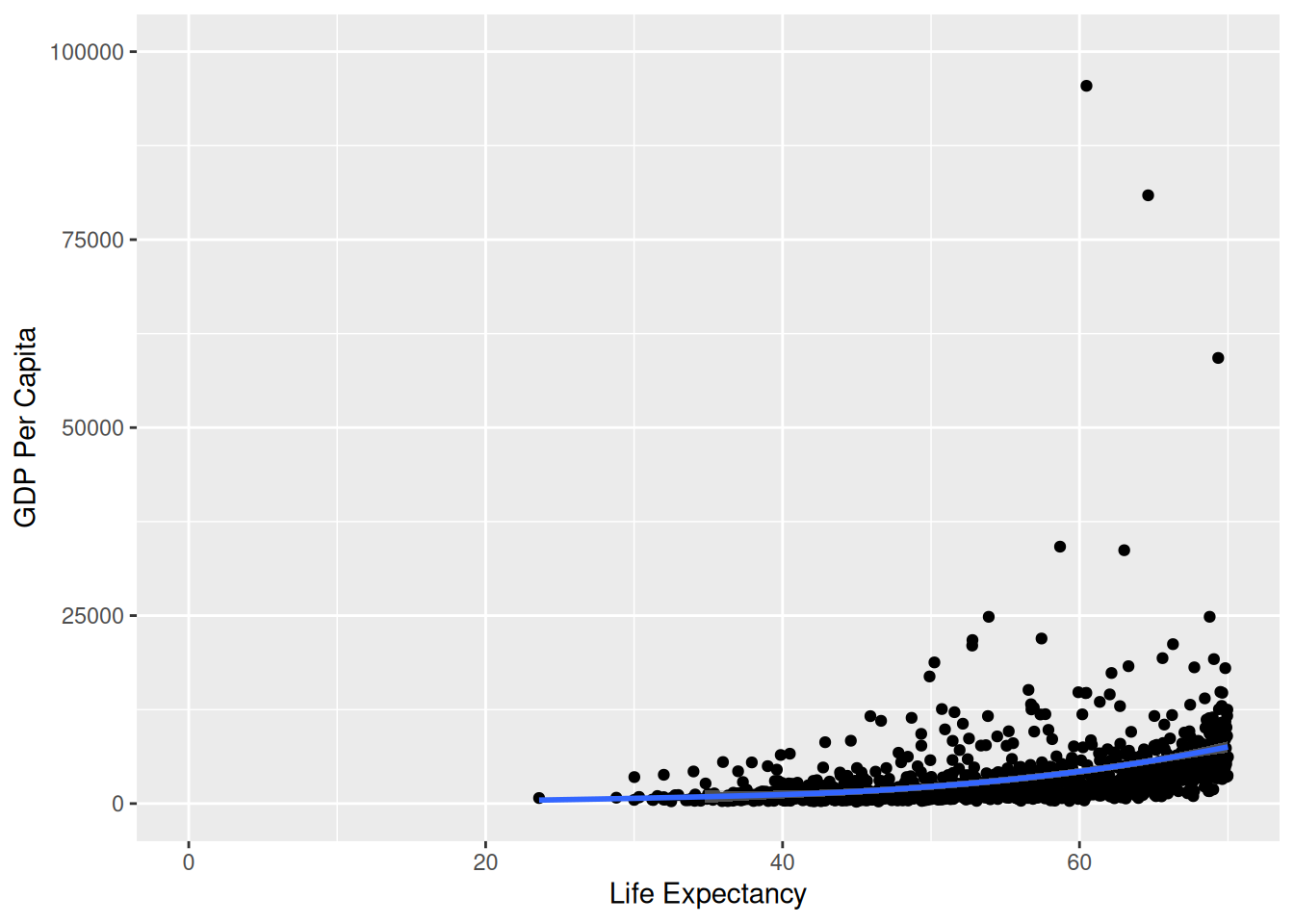
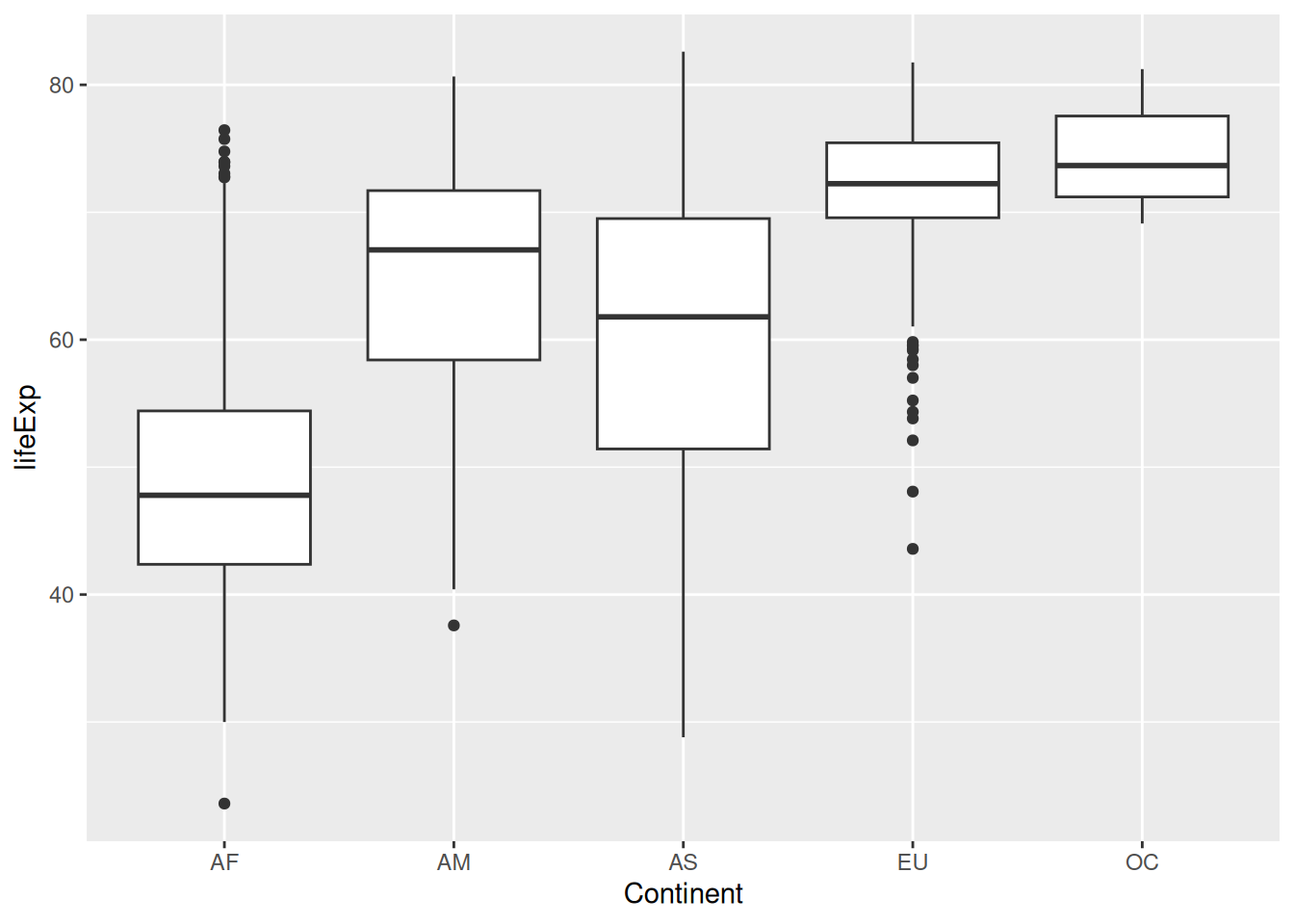
Box plot with customized y-axis
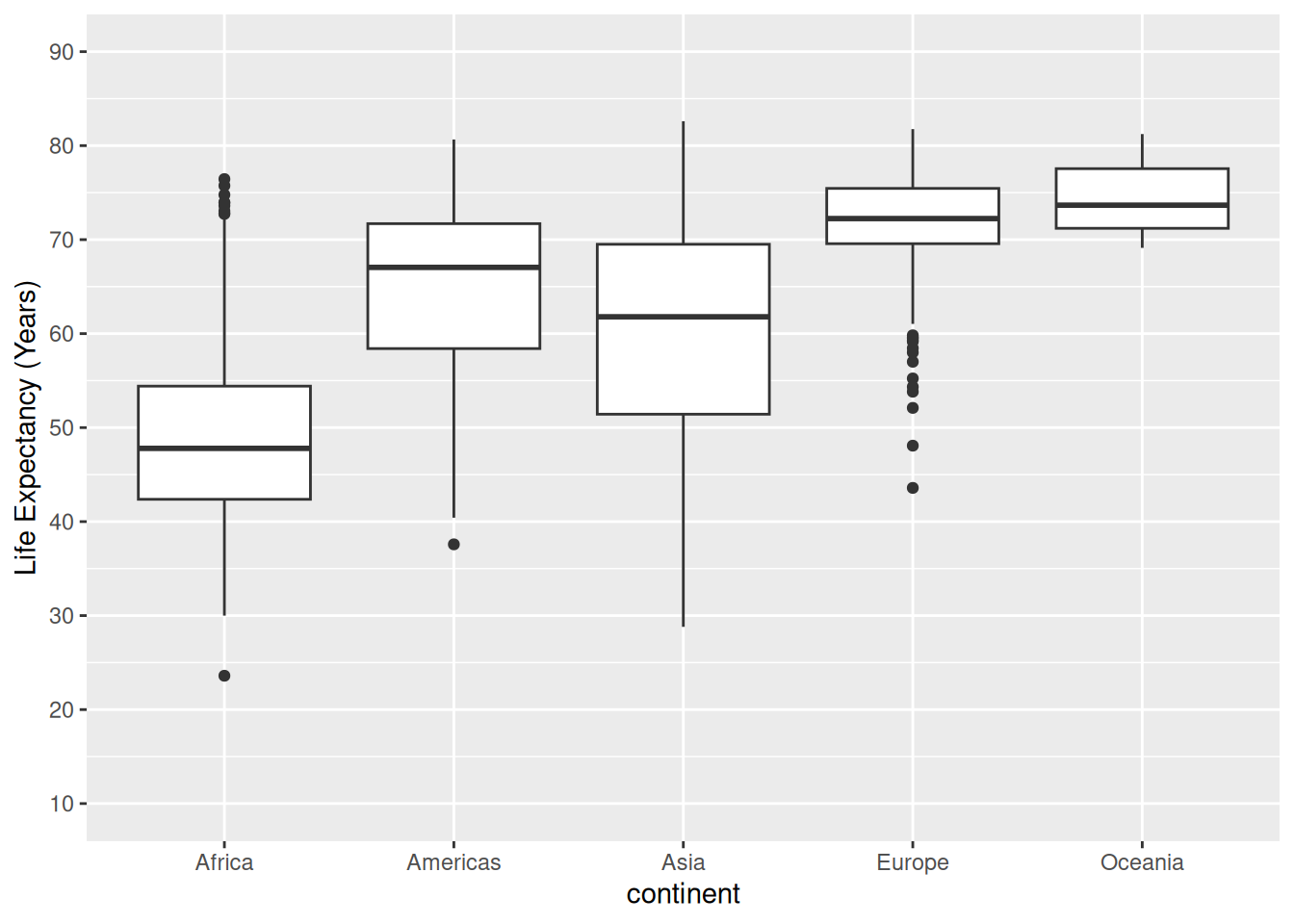
Box plot with customized x-axis
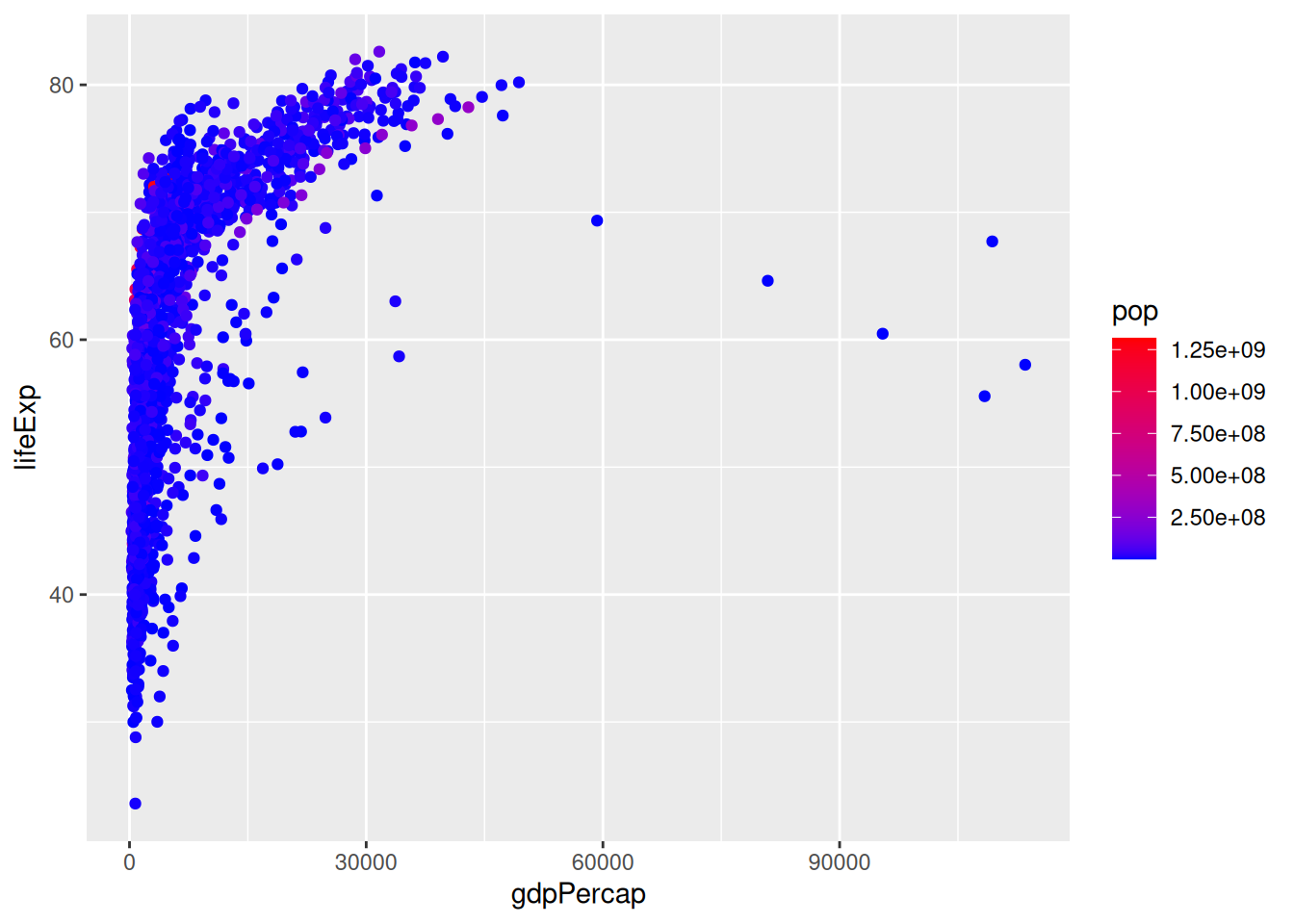
Color gradient scale
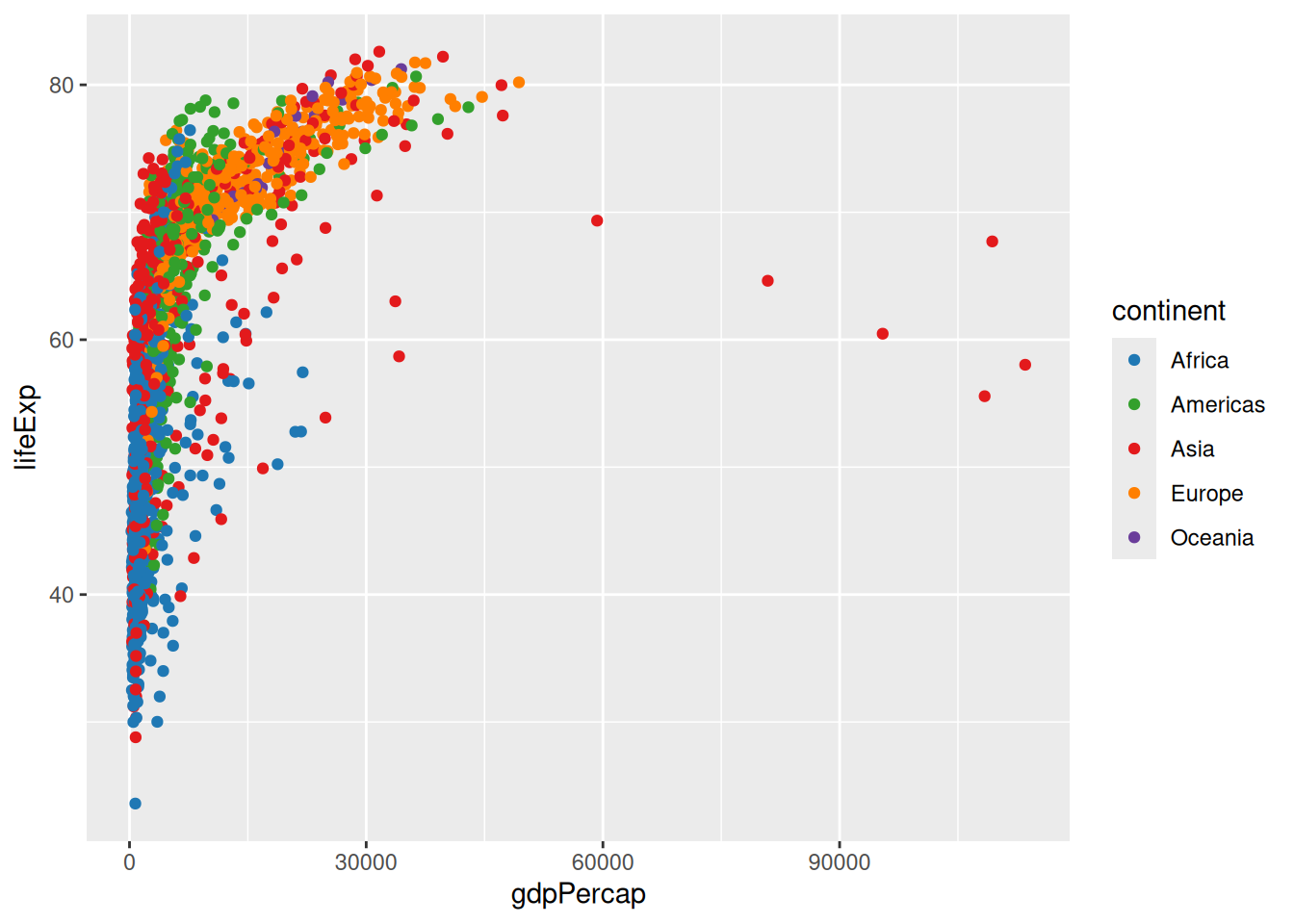
Discrete color scale
Plot with color palette
`geom_smooth()` using method = 'gam' and formula = 'y ~ s(x, bs = "cs")'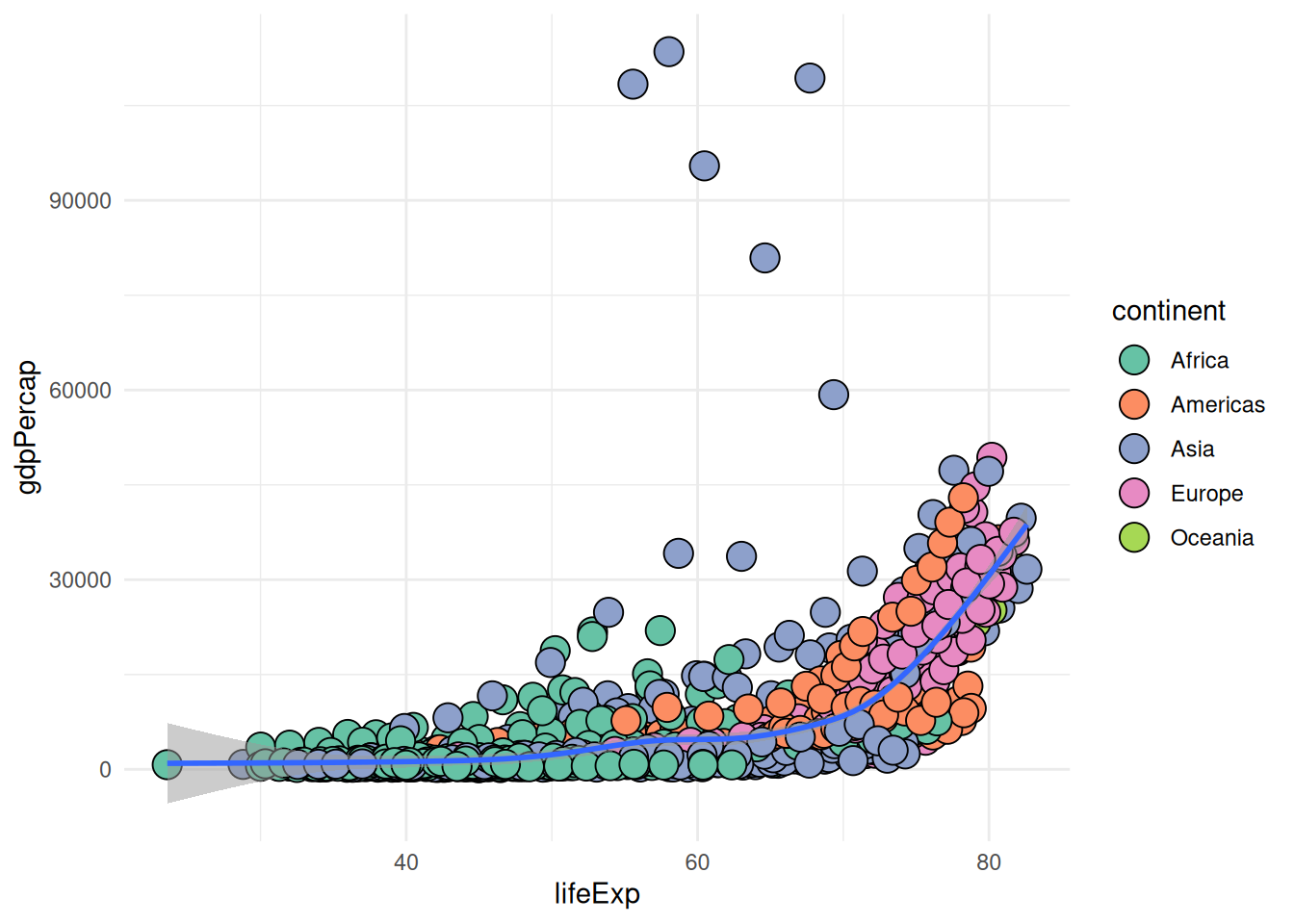
Box plot with theme_classic
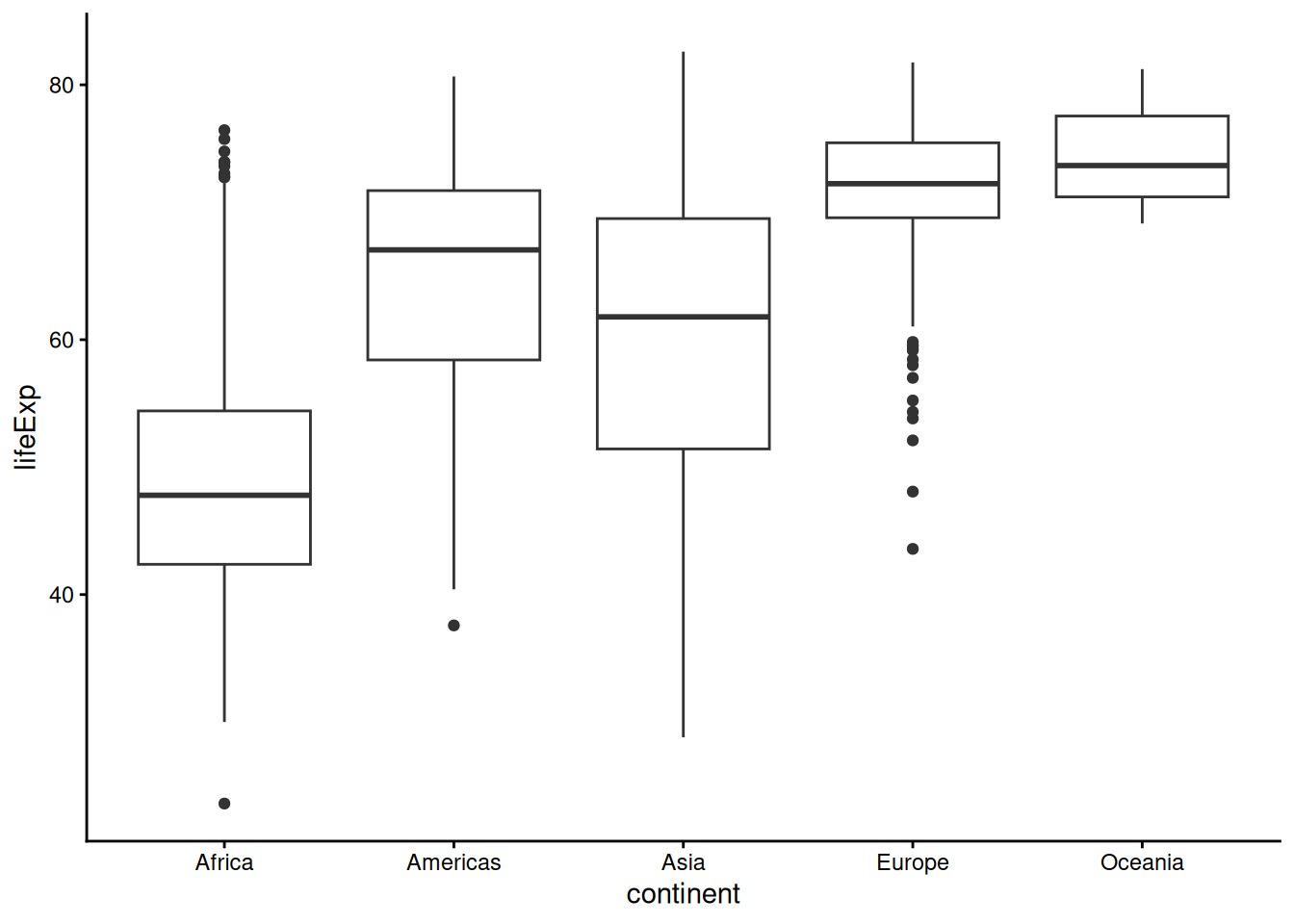
Box plot with jitter
Combined violin and box plot
Multiple plots with gridExtra
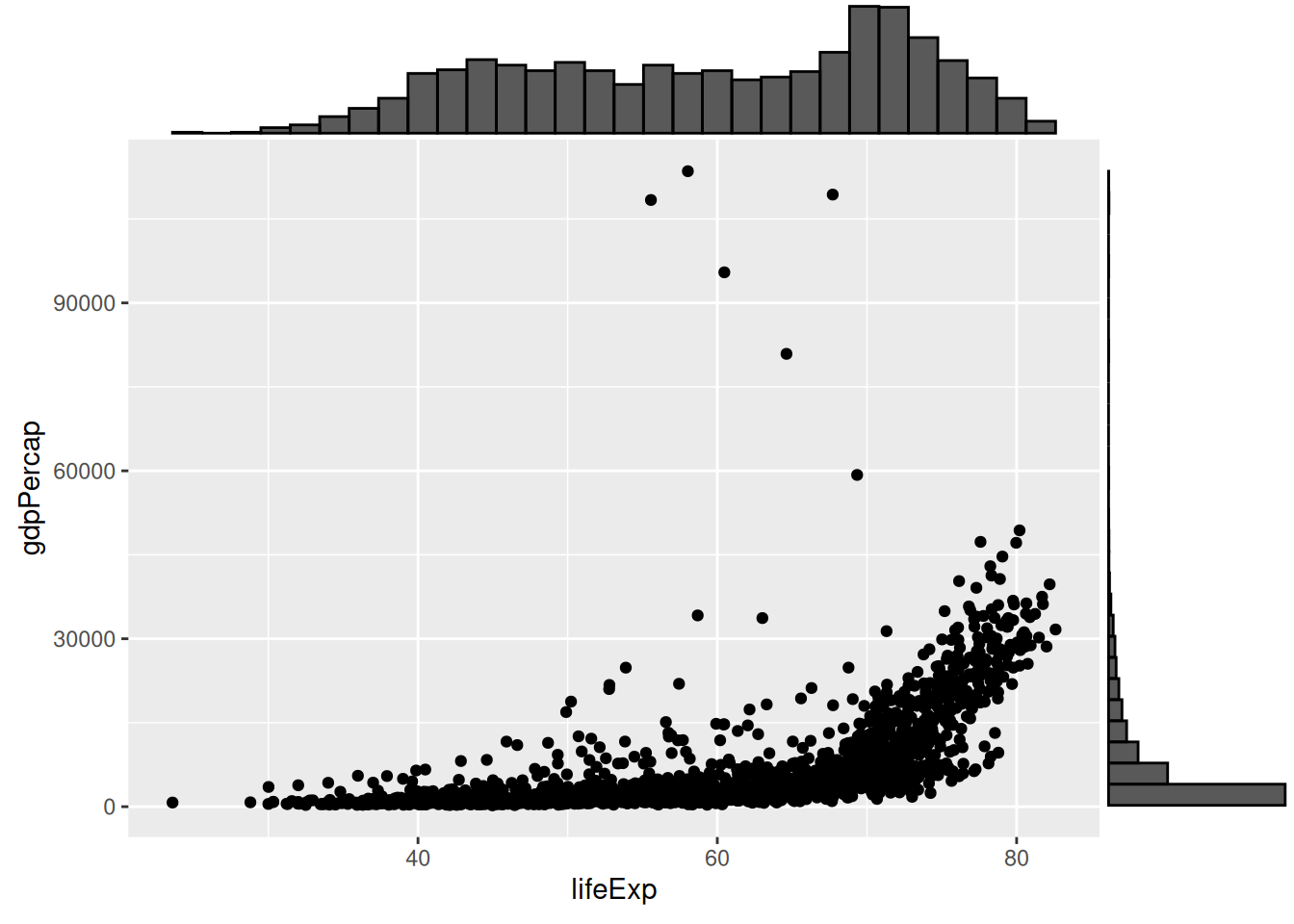
Marginal histogram
Saving Plots
Save a plot to a file using ggsave.
[1] "/home/vsts/work/1/s/training_site/courses/applied_R/episodes"Saving 7 x 5 in image
`geom_smooth()` using method = 'gam' and formula = 'y ~ s(x, bs = "cs")'Further Information
📚 Key Points
- Retain the question, source, units and decisions with the result.
- Compare at least one output with an independent known value or source record.
- A successful run is one check; interpretation and limitations still need review.
🔦 Hints
- Save before restarting R and rerun from the beginning.
- Keep original inputs separate from derived outputs.
- Record unresolved questions instead of silently changing data to obtain an answer.
Module Summary
You can specify, inspect and save figures with source checks and limitations. Next, keep narrative, code and results together in a notebook.
Additional Learning
- ggplot2 documentation: layers, scales and labels.
- Learner Additional Material: practice, the shared project and official references.
- Reference: terms and checking reminders.